

Keeping track of appointments can become surprisingly difficult when your day includes several bookings, phone calls, meetings, and schedule changes.
Whether you’re managing customer appointments for a small business, organizing professional meetings, or keeping track of personal commitments, having everything written down in one place makes scheduling much easier.
These free appointment planner printables provide a simple way to record important dates, times, contact information, services, and other appointment details without needing a complicated scheduling system.
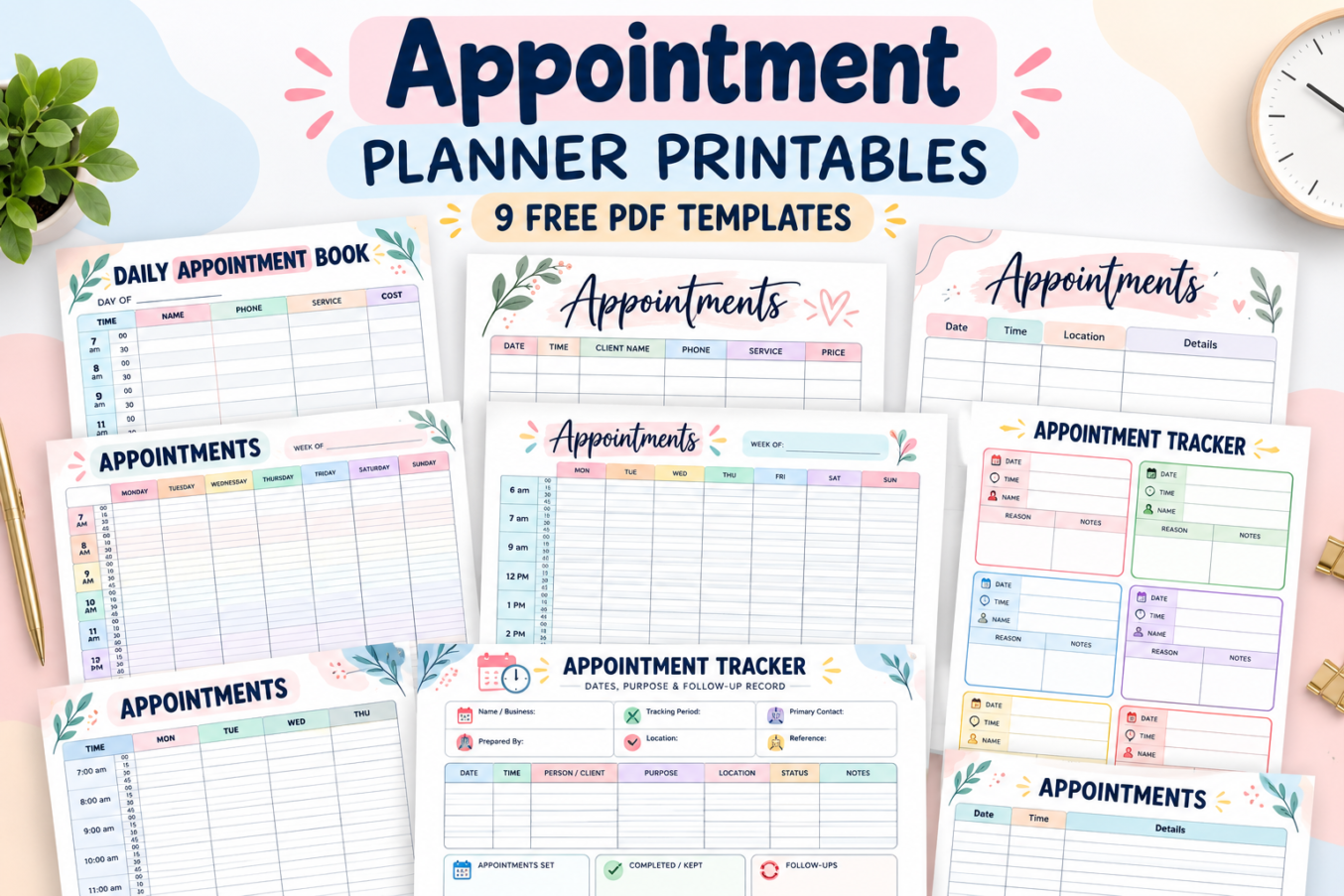
This collection features 9 colorful appointment planner designs, including daily appointment books, weekly schedules with 15-minute intervals, client booking sheets, and detailed appointment trackers.
All nine designs are blank and ready for you to fill in. Choose the layout that matches your scheduling needs, download the corresponding PDF, and start organizing your appointments.
Free Appointment Planner Printables
Different appointments require different types of organization. A salon owner might need to record customer names, services, and prices, while someone managing personal commitments may only need the date, time, location, and a few notes.
That’s why this collection includes several appointment scheduling formats rather than a single layout.
- Daily Appointment Book with 30-minute time slots
- Client Appointment Log with contact and service information
- Appointment Planner with dates, locations, and details
- Weekly Appointment Schedule with 15-minute intervals
- Extended Weekly Appointment Planner from 6 AM to 9 PM
- Appointment Tracker with six individual appointment cards
- Monday–Thursday Appointment Schedule
- Detailed Appointment Tracker with status and follow-up sections
- Simple Appointment Log with date, time, and details
Some designs are especially useful for businesses that handle several bookings every day. Others are better suited to occasional appointments, personal schedules, or tracking important follow-up information.
Why Use a Printable Appointment Planner?
A printable appointment book gives you a clear, written overview of your schedule. Instead of trying to remember every booking or searching through scattered notes, you can keep the essential information together.
Here are some practical ways an appointment planner can help.
- Organize daily bookings. Record scheduled appointments in the order they will happen.
- See available time slots. Use a daily or weekly schedule to identify openings before accepting another booking.
- Keep client information together. Record names, phone numbers, requested services, and prices when relevant.
- Remember important details. Write down locations, appointment purposes, instructions, and notes.
- Track completed appointments. Use a detailed tracker to distinguish scheduled appointments from completed visits and follow-ups.
- Plan ahead. Review your upcoming appointments before starting the day or week.
Paper planners can also be useful as a quick reference at a reception desk, workstation, or home office. Just remember to store pages containing client contact information securely.
9 Free Printable Appointment Planner Templates
Below are all nine appointment planner designs. Each printable offers a different way to organize appointments, from structured time-slot schedules to flexible record-keeping sheets.
Take a look at the layouts and choose the one that best fits your needs.
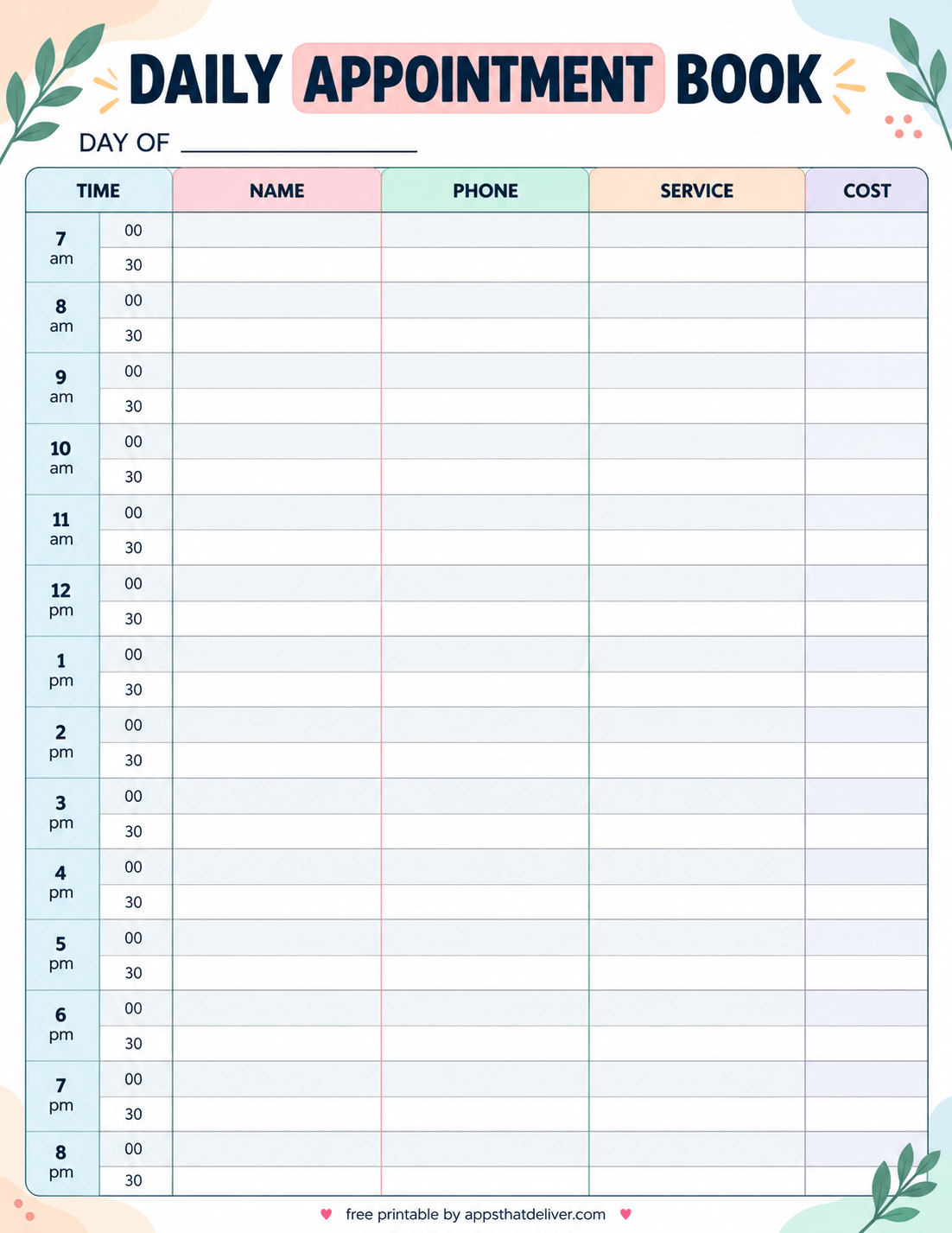
1. Daily Appointment Book with 30-Minute Time Slots
This colorful Daily Appointment Book printable is designed for businesses and individuals who need a structured appointment schedule throughout the day.
The timetable begins at 7 AM and continues through 8:30 PM, with separate rows for appointments starting on the hour and half-hour.
Each booking row includes columns for Name, Phone, Service, and Cost, allowing you to record important customer information alongside the appointment time.
A “Day Of” field at the top lets you write the date, making the template reusable whenever you need a fresh daily appointment schedule.
The pastel-colored column headings and alternating light rows help keep the page organized without distracting from the information you write.
This design is especially useful for salons, barbershops, beauty professionals, and other service-based businesses that schedule appointments throughout the day.
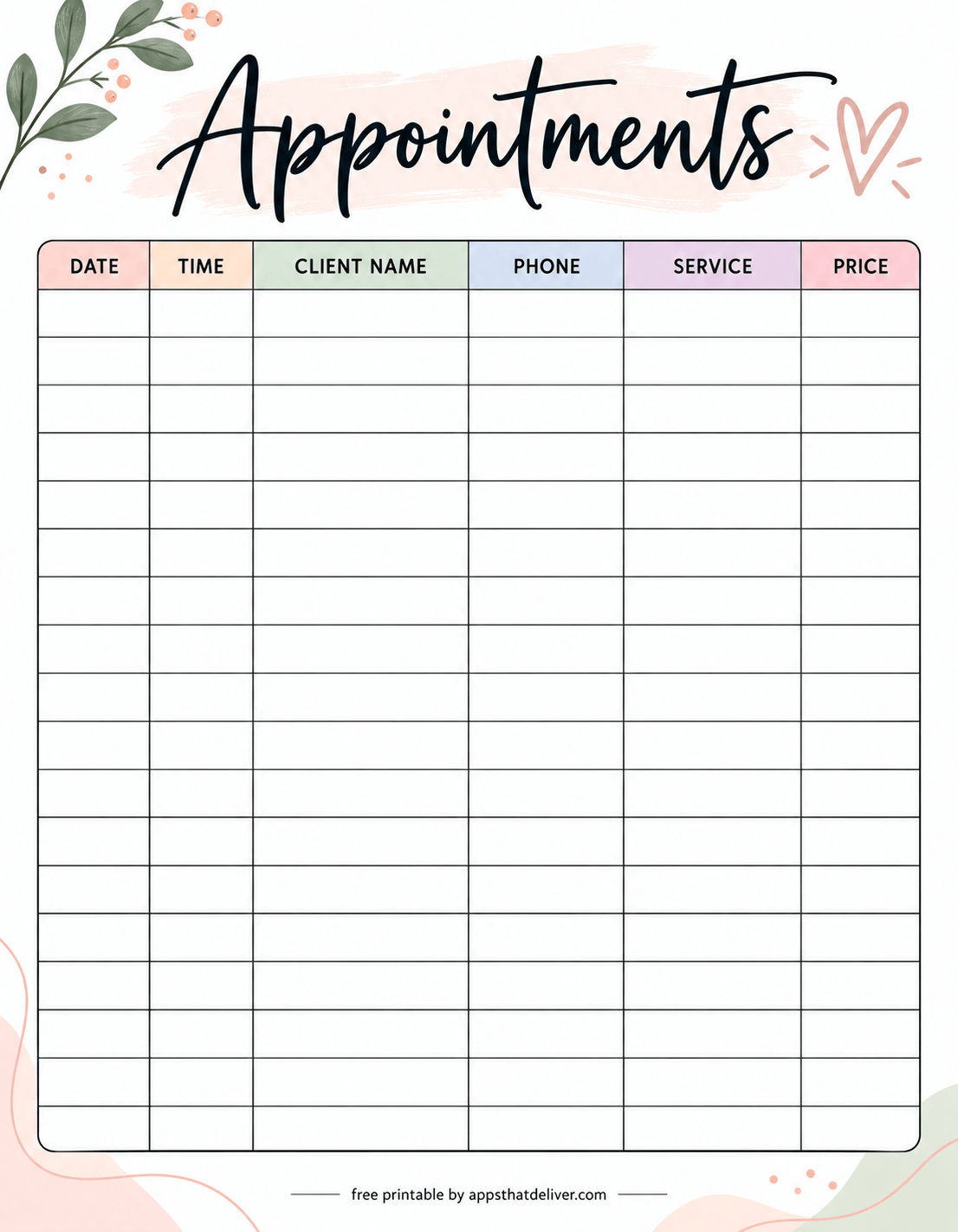
2. Client Appointment Log with Phone, Service, and Price
This elegant Client Appointment Log printable provides a flexible way to keep track of customer bookings without using a fixed hourly timetable.
The page features six clearly labeled columns: Date, Time, Client Name, Phone, Service, and Price.
Each blank row represents an appointment, so you can record bookings in the order they are received or organize them chronologically.
Unlike a daily schedule with predefined times, this layout allows you to enter appointments from different days on the same sheet. That makes it convenient for maintaining an ongoing booking register.
The spacious table provides room for recording essential details, while the soft pastel headings and decorative botanical accents give the printable a welcoming appearance.
Choose this design if you manage appointments for a salon, studio, consulting service, or small business and want a straightforward record of who is booked, when they are coming, and what service they need.
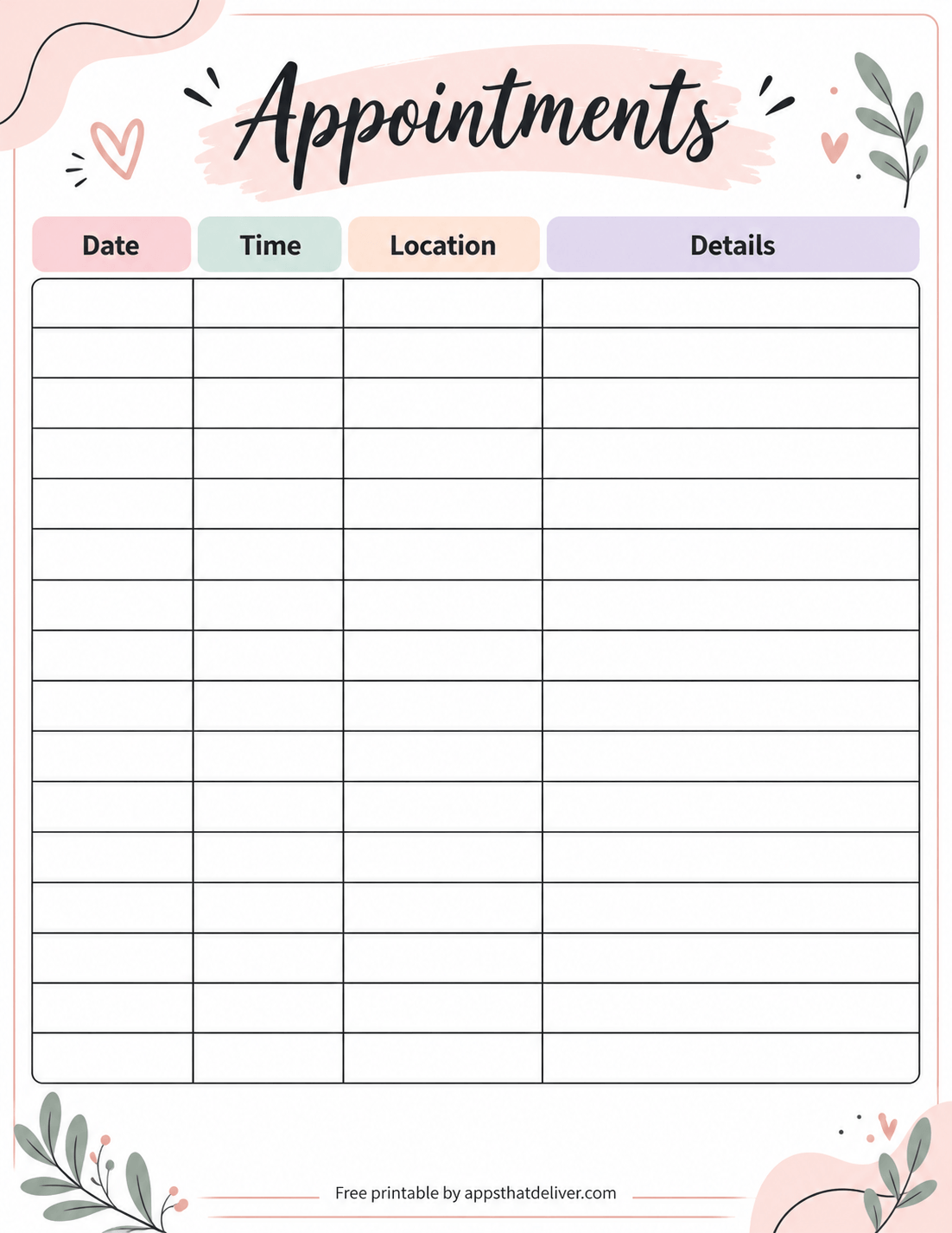
3. Appointment Planner with Date, Time, Location, and Details
This beautiful Appointment Planner printable is a practical choice for keeping track of personal appointments, professional meetings, and other scheduled commitments.
The template uses four columns: Date, Time, Location, and Details.
The Date and Time columns help you record when each appointment is scheduled, while the Location column provides space for an address, office, meeting place, or other destination.
The wider Details column can be used for the purpose of the appointment, preparation notes, contact information, or anything else you want to remember.
Because the page isn’t tied to a particular week or month, you can use it as an ongoing appointment list and add entries whenever something new is scheduled.
This design works particularly well for personal appointments, interviews, school meetings, consultations, and errands that require you to be somewhere at a specific time.
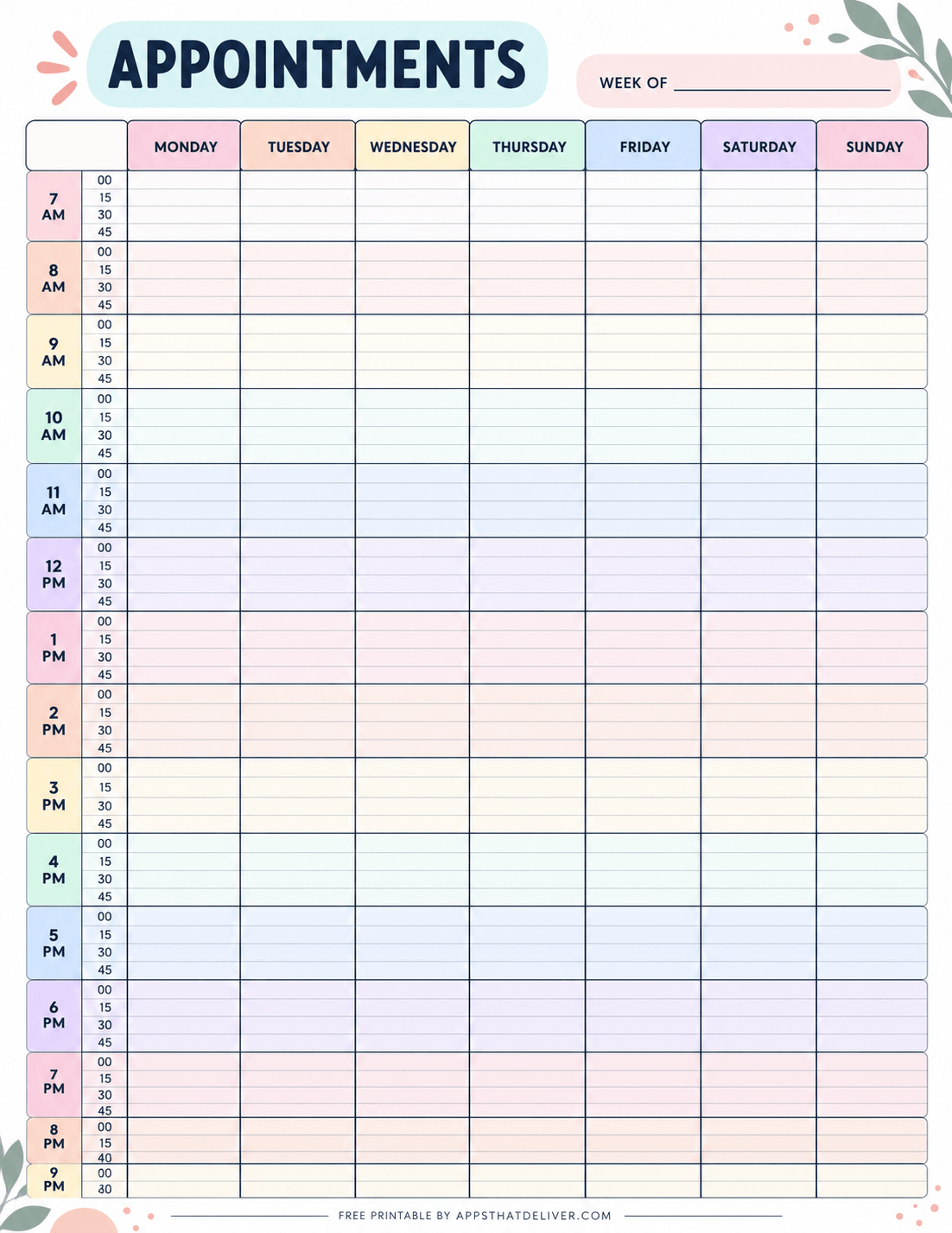
4. Weekly Appointment Schedule with 15-Minute Intervals
If you manage a busy schedule with several short appointments, this Weekly Appointment Schedule printable offers a detailed overview of your entire week.
The planner includes columns for Monday through Sunday, allowing you to organize appointments across all seven days.
The timetable begins at 7 AM and continues into the evening, with time divided into 15-minute intervals for detailed scheduling.
Each hour is divided into smaller sections marked 00, 15, 30, and 45, so you can record short appointments without assigning an entire hour to every booking.
A “Week Of” field at the top helps you identify the week you’re planning. The colorful day headings and lightly shaded hourly sections make the schedule easier to scan.
This printable is especially useful for appointment-based businesses, instructors, service providers, and anyone who needs to compare available time slots across multiple days.
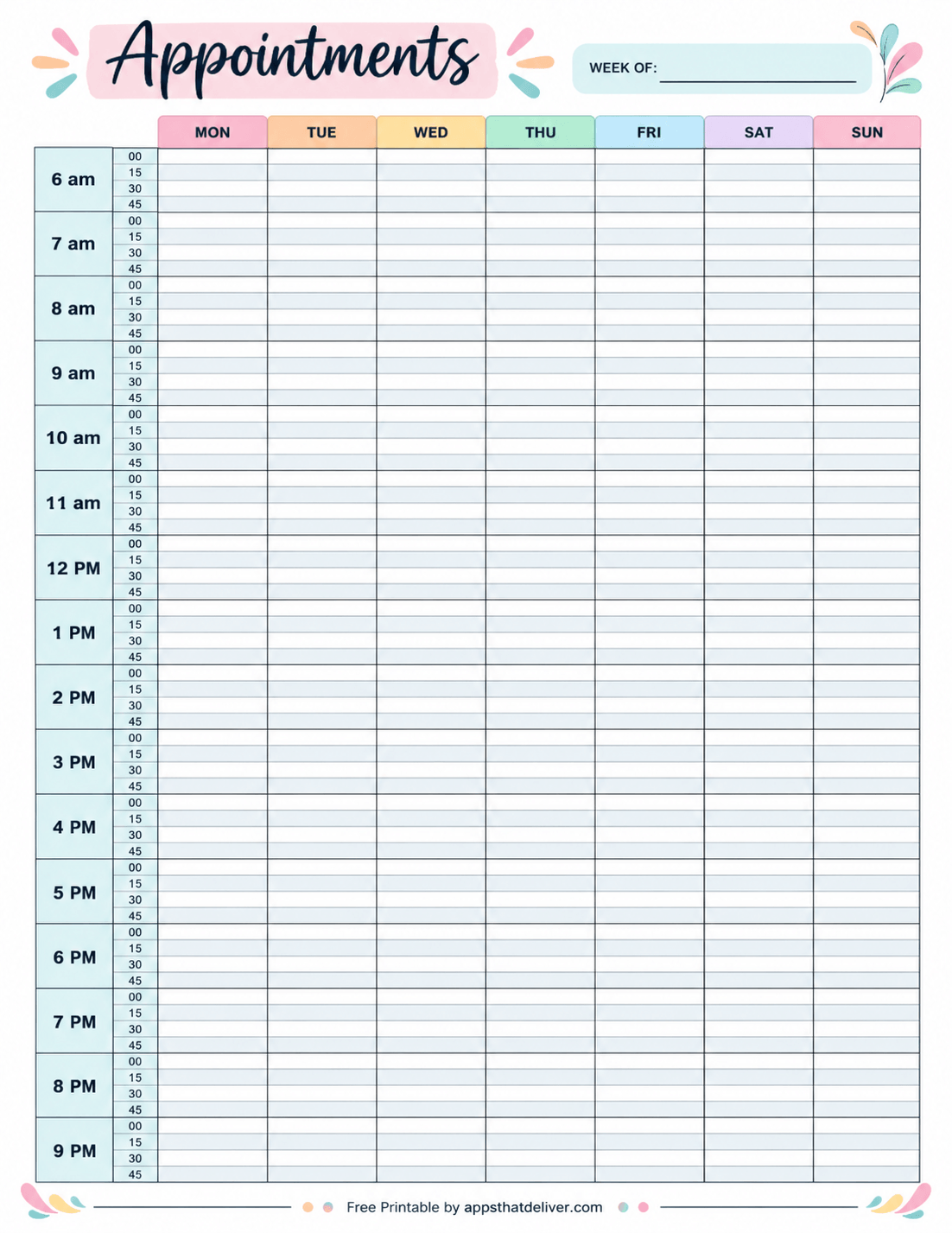
5. Extended Weekly Appointment Planner from 6 AM to 9 PM
This colorful Weekly Appointment Planner is ideal for people who need a detailed schedule covering early mornings, afternoons, and evenings.
The timetable begins at 6 AM and continues through the 9 PM hour, with separate columns for Monday, Tuesday, Wednesday, Thursday, Friday, Saturday, and Sunday.
Each hour is divided into four 15-minute time slots, giving you a structured way to plan short bookings, consultations, lessons, or meetings.
The left side displays the hour and smaller minute intervals, while the weekly grid provides space to write appointments directly under the appropriate day.
A “Week Of” field allows you to label the schedule, and the pastel-colored weekday headings help distinguish one day from another.
This template is a good choice for businesses with extended operating hours, professionals who work varied shifts, or anyone who wants a full-week appointment schedule starting early in the morning.
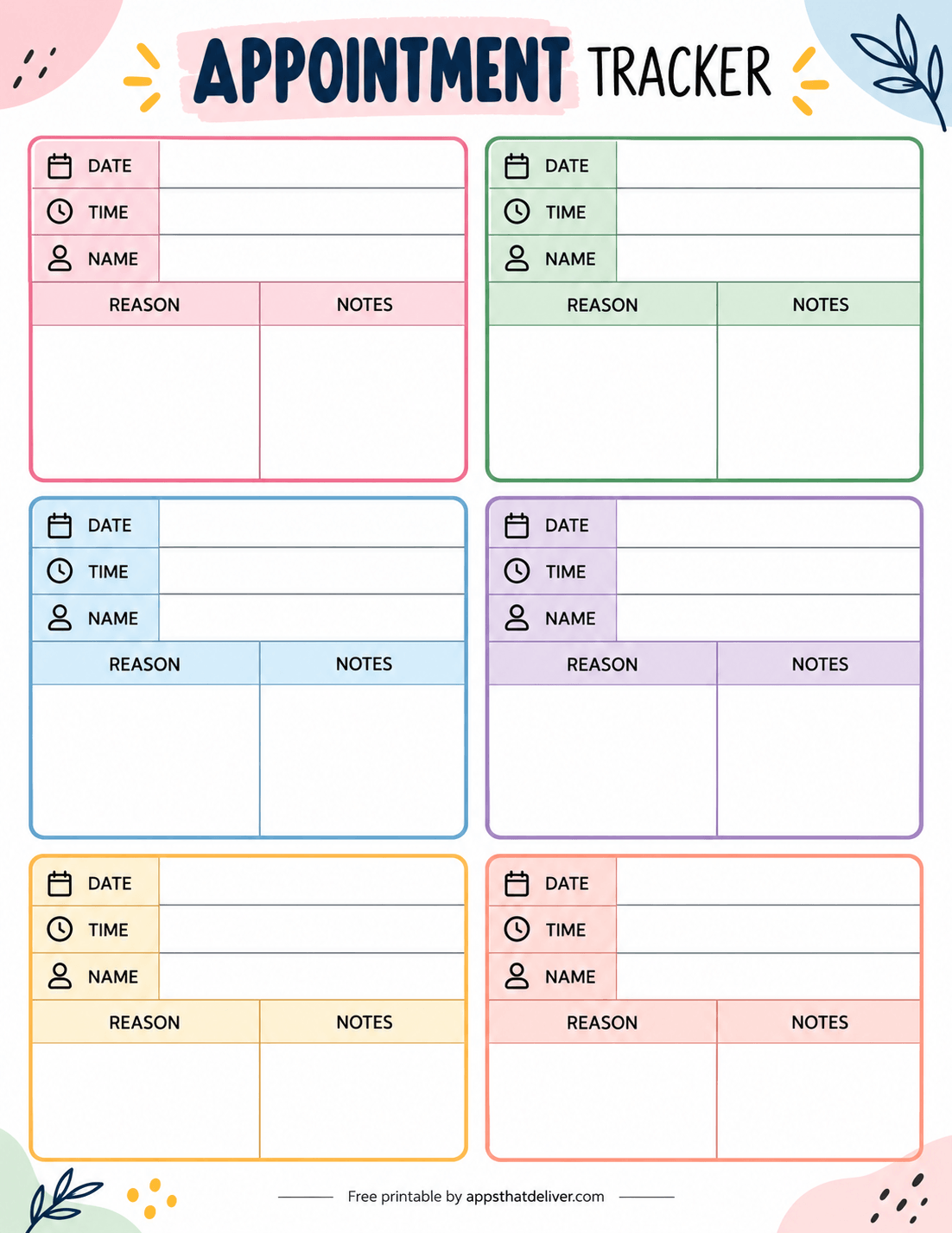
6. Appointment Tracker with Six Individual Booking Cards
This cheerful Appointment Tracker printable takes a different approach to organizing appointments by giving each booking its own dedicated card.
The page contains six appointment cards arranged in two columns and three rows, with each card featuring a different pastel accent color.
Every card includes fields for Date, Time, and Name, followed by larger sections labeled Reason and Notes.
The Reason section is useful for recording why the appointment was scheduled, while the Notes section gives you room for preparation details, questions, reminders, or information discussed during the appointment.
Unlike a traditional appointment log, this layout keeps each appointment visually separate, making it easier to focus on one booking at a time.
It’s a helpful choice for personal appointments, consultations, meetings, interviews, or situations where you want more writing space for each appointment rather than a long list of short entries.
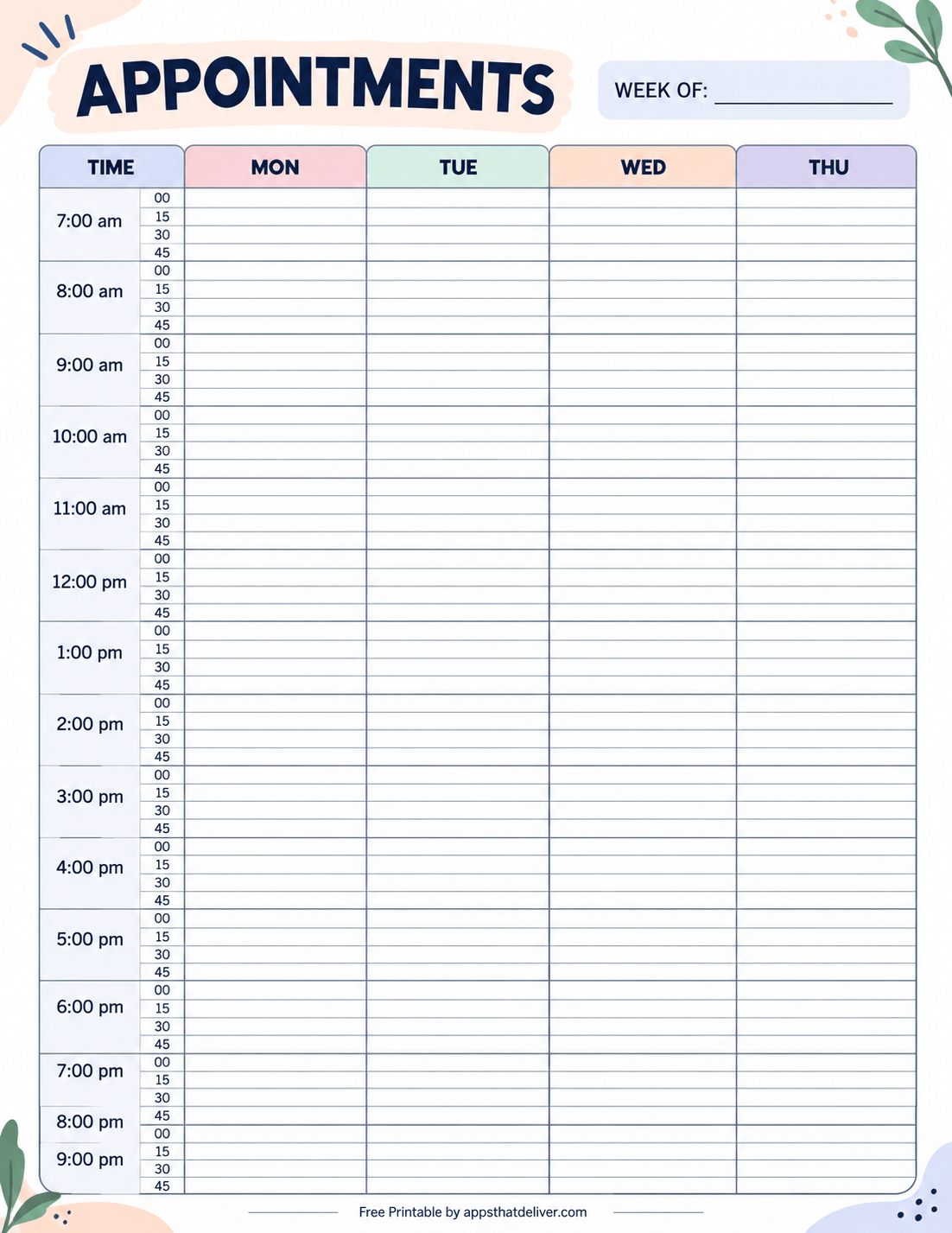
7. Monday–Thursday Appointment Schedule with 15-Minute Slots
This structured Appointment Schedule printable is designed for people who want to organize appointments across four days rather than a full seven-day week.
The planner features four main columns labeled Mon, Tue, Wed, and Thu, with a separate time column running down the left side.
Appointments can be scheduled in 15-minute intervals, beginning at 7 AM and continuing into the evening.
The timetable provides four entries per hour, marked 00, 15, 30, and 45, allowing you to organize appointments with more precision than a standard hourly planner.
A “Week Of” field at the top makes it easy to identify the schedule’s date range.
Because the page only covers four days, each weekday column has more horizontal writing space than a seven-day schedule. This can be helpful when appointment descriptions are longer or you prefer a less crowded layout.
Choose this design for Monday–Thursday working schedules, four-day appointment planning, or keeping a detailed record of bookings during the first part of the week.
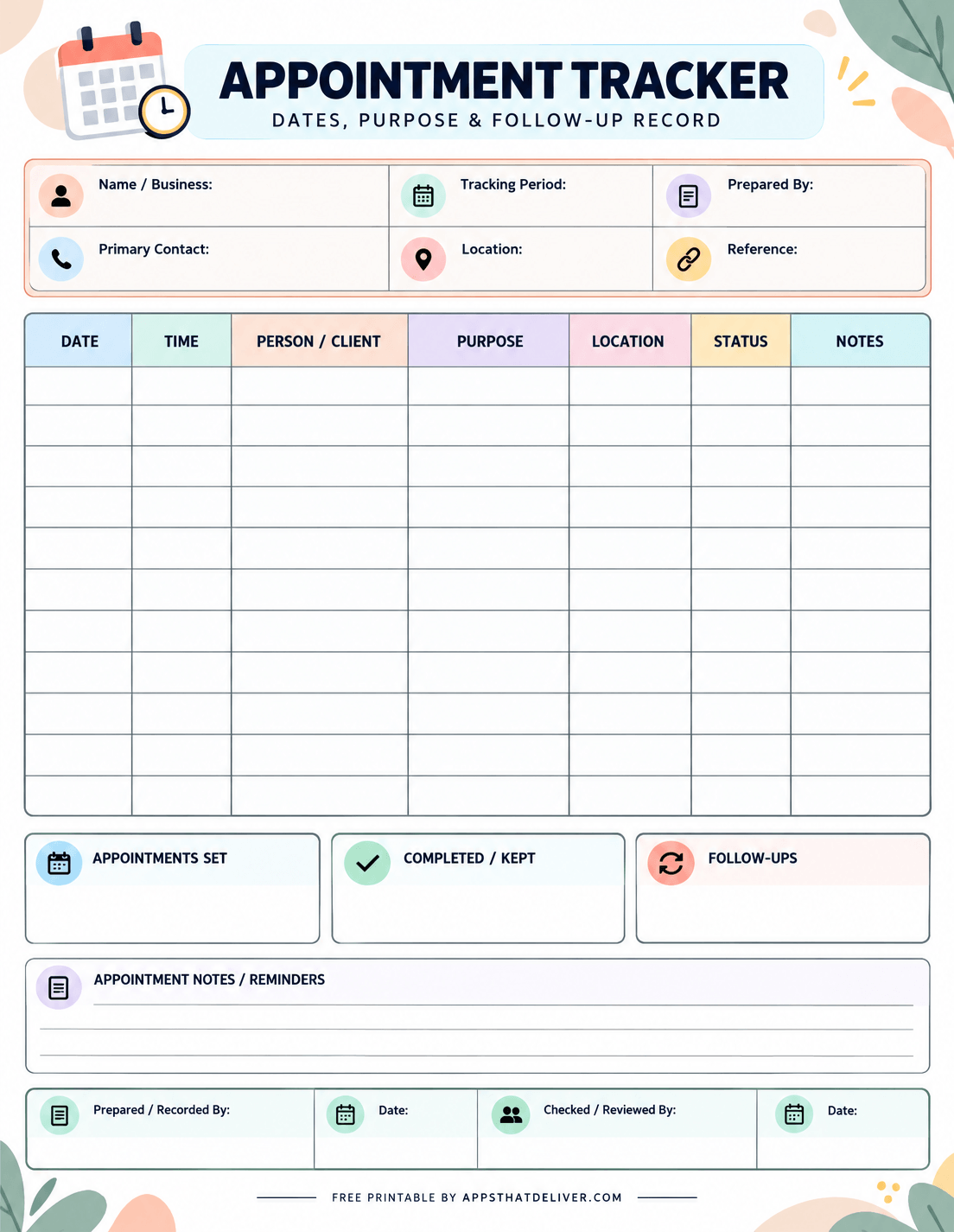
8. Detailed Appointment Tracker with Status and Follow-Up Records
This comprehensive Appointment Tracker printable is designed for people who need more than a simple appointment calendar.
The top of the page includes fields for Name / Business, Tracking Period, Prepared By, Primary Contact, Location, and Reference.
Below these fields is a detailed appointment table with seven columns: Date, Time, Person / Client, Purpose, Location, Status, and Notes.
This arrangement allows you to record when appointments are scheduled, who they involve, why they are taking place, and whether any additional action is required.
The lower section includes three separate summary boxes labeled Appointments Set, Completed / Kept, and Follow-Ups. These can be used to record appointment totals or other relevant summary information.
You’ll also find an Appointment Notes / Reminders section, plus fields for the person who prepared the record and the person who reviewed it, with corresponding dates.
This template is especially useful for administrative work, client coordination, project-related meetings, and other situations where appointment status and follow-up information matter.
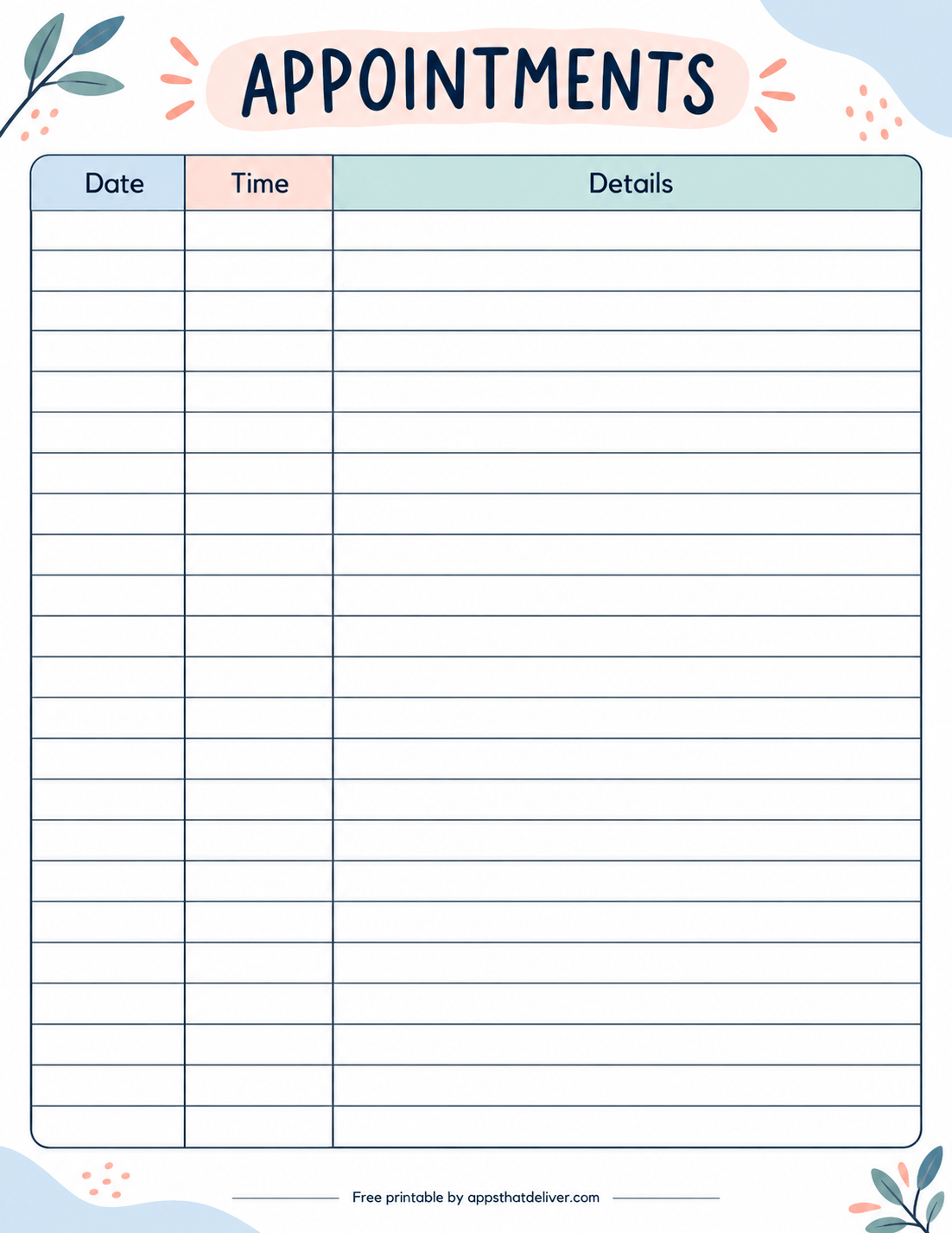
9. Simple Appointment Log with Date, Time, and Details
If you prefer a clean and uncomplicated layout, this Simple Appointment Log printable is a great option for recording upcoming appointments without unnecessary sections.
The page features just three columns: Date, Time, and Details.
The Date and Time columns provide space for the appointment schedule, while the much wider Details column allows you to record the purpose, location, contact person, or any other information you need.
The large table contains numerous blank rows, making it useful for keeping a running list of appointments over several days or weeks.
Because there are no fixed times or dates, you can use this printable for appointments that happen at irregular intervals.
The soft pastel header, simple table lines, and minimal decorative elements keep the design attractive while leaving most of the page available for writing.
This is an excellent choice for personal appointments, household scheduling, occasional business meetings, and anyone who wants a straightforward appointment record.
Which Printable Appointment Planner Should You Choose?
With nine different designs available, the best appointment planner depends on how many bookings you manage, how much information you need to record, and whether you prefer daily or weekly planning.
- For daily client bookings: Choose Printable 1. It includes half-hour time slots and columns for names, phone numbers, services, and costs.
- For a client appointment register: Printable 2 provides a flexible table with dates, times, client information, services, and prices.
- For personal appointments with locations: Printable 3 includes separate columns for dates, times, locations, and details.
- For a seven-day weekly schedule: Choose Printable 4 or 5. Both offer 15-minute scheduling across Monday through Sunday.
- For early morning appointments: Printable 5 begins at 6 AM and covers an extended daily schedule.
- For detailed notes about individual appointments: Printable 6 includes six separate appointment cards with Reason and Notes sections.
- For four-day scheduling: Printable 7 provides Monday–Thursday columns with 15-minute time slots.
- For tracking appointment status and follow-ups: Printable 8 includes a detailed register, summary boxes, and review fields.
- For simple record-keeping: Printable 9 provides a spacious three-column appointment list without fixed time slots.
You don’t have to use just one design. For example, a business could use a weekly schedule to see available appointment times and a separate client log to record booking details.
How to Use These Printable Appointment Templates
Getting started with a printable appointment planner is simple. You only need to choose the right layout and establish a consistent way to record your appointments.
- Choose your appointment template. Select a daily schedule, weekly planner, appointment log, or detailed tracker based on the information you need.
- Download the PDF. Use the download button below your preferred printable design.
- Print your appointment sheet. Open the PDF and print a copy using your printer’s appropriate paper settings.
- Add the date or week. Fill in the date field if your chosen planner includes one.
- Record scheduled appointments. Write each appointment in the correct time slot or blank table row.
- Add important details. Include names, contact information, locations, services, prices, or notes wherever the template provides space.
- Update changes promptly. Mark canceled or rescheduled appointments clearly to avoid confusion.
- Review upcoming bookings. Check your planner at the beginning and end of the day to prepare for scheduled commitments.
If you regularly manage appointments, consider printing several copies of your favorite layout in advance. Keeping a fresh sheet ready can make it easier to record new bookings as they come in.
Daily vs. Weekly Appointment Planners
One of the most important decisions when choosing an appointment planner is whether you need to focus on a single day or see several days together.
When to Use a Daily Appointment Book
A daily appointment book is helpful when you handle multiple bookings on the same day and need enough space to record customer information.
Daily planners generally provide more room for each appointment than a weekly grid. This makes them particularly useful for businesses that need to record names, phone numbers, services, or prices.
Printable 1 is a good example because it combines a structured daily timetable with essential client information.
When to Use a Weekly Appointment Schedule
A weekly appointment planner is better suited to situations where you need to see your availability across several days.
For example, if someone asks whether you have an opening later in the week, a weekly grid allows you to compare available time slots without flipping between multiple daily pages.
Printables 4 and 5 include all seven days of the week, while Printable 7 focuses on Monday through Thursday.
Weekly planners are especially useful for managing recurring appointments, planning working hours, and identifying busy or quiet periods.
When to Use an Appointment Log
An appointment log is useful when you want to maintain a record of bookings rather than view them in a fixed calendar grid.
Printables 2, 3, and 9 let you enter your own dates and times, so you can record appointments from different days on the same sheet.
This approach works well when appointments are occasional or when you want to keep a written history of scheduled commitments.
How to Avoid Double-Booking Appointments
One of the biggest challenges with appointment scheduling is accidentally assigning the same time to two different bookings.
A printable appointment calendar can help you see which time slots are already occupied, but it works best when you keep it updated consistently.
- Check the schedule before confirming a booking. Review the requested time and make sure it isn’t already occupied.
- Allow enough time for each appointment. A 15-minute grid doesn’t mean every appointment must last 15 minutes. Reserve as many consecutive slots as the booking requires.
- Leave transition time when necessary. Some services require preparation, cleanup, travel, or a short break between appointments.
- Record changes immediately. If an appointment moves to another time, update the original entry and the new booking slot.
- Use one reliable master schedule. If several people accept bookings, make sure everyone checks the same up-to-date record.
For businesses with several staff members accepting bookings simultaneously, a shared digital calendar may be a better master scheduling system. Printable sheets can still serve as useful daily references.
Appointment Scheduling Tips for Small Businesses
Appointment-based businesses often need to balance customer bookings, service durations, contact details, and unexpected schedule changes.
A few simple habits can make a printable appointment book more effective.
1. Record Appointments as Soon as They Are Confirmed
Write down confirmed bookings immediately instead of relying on memory or leaving the details in messages.
Include the appointment date, starting time, customer name, and any service information needed to prepare for the visit.
2. Choose Time Slots That Match Your Services
Not every business needs the same scheduling intervals.
If appointments usually last 30 minutes or longer, the Daily Appointment Book may be sufficient. If you frequently schedule shorter appointments or need more precise starting times, one of the 15-minute weekly planners may be more practical.
For longer services, use consecutive time slots to show the full duration of each booking.
3. Keep Client Details Easy to Reference
If your business needs customer contact information, use a template with dedicated name and phone columns.
Printables 1 and 2 are particularly useful for this purpose because they also provide space for services and costs or prices.
Only record information you actually need, and keep printed customer records somewhere private rather than leaving them accessible to visitors.
4. Review the Next Day’s Schedule
Before finishing work, look over the appointments scheduled for the following day.
Check whether any bookings require extra preparation, whether there are gaps in the schedule, and whether any appointments still need confirmation.
This quick review can make the next workday easier to manage.
5. Keep Track of Follow-Ups
Some appointments lead to additional tasks, such as arranging another meeting, contacting a customer, or confirming a future booking.
The detailed Appointment Tracker in Printable 8 is especially useful for this because it includes status, notes, follow-up summaries, and reminder sections.
Keeping follow-up information visible helps prevent important next steps from being overlooked.
Creative Ways to Use These Appointment Printables
Although these templates are designed for appointments, they can be useful in many different settings.
- Beauty salons and barbershops: Record client names, service times, phone numbers, and prices.
- Freelancers and consultants: Organize client calls, consultations, and project meetings.
- Tutors and instructors: Schedule lessons, classes, and individual sessions throughout the week.
- Home service businesses: Keep track of scheduled visits, appointment times, and customer locations.
- Personal scheduling: Organize errands, meetings, interviews, and everyday appointments.
- Administrative offices: Maintain appointment registers, record meeting purposes, and track follow-up tasks.
- Family organization: Keep important appointments and scheduled activities together on one page.
For sensitive appointments, such as medical visits, use these general-purpose planners only for the minimum necessary scheduling details. Avoid writing confidential medical or other sensitive information on pages that may be seen by others.
How to Organize Your Printed Appointment Sheets
If you use appointment printables regularly, keeping completed pages organized makes them easier to reference when needed.
For daily appointment books, you can keep each day’s sheet in a dated folder or binder. Weekly planners can be arranged chronologically so you can quickly locate a particular week’s schedule.
If you use both a weekly schedule and a detailed client log, consider keeping them in separate sections. This makes it easier to distinguish your upcoming timetable from your appointment records.
When storing pages containing personal or customer information, keep them in a secure location and dispose of them appropriately when they are no longer needed.
You can also print a small supply of blank appointment sheets ahead of time so you always have a fresh page available when your schedule fills up.
Frequently Asked Questions
Yes. This collection includes nine free appointment planner designs intended for PDF download and printing.
There are nine unique designs, including daily appointment books, weekly schedules, client logs, individual appointment cards, and detailed tracking sheets.
Printable 1 is useful for daily service bookings because it includes time slots, names, phone numbers, services, and costs. Printable 2 offers a flexible client log with similar information.
Yes. Printables 4 and 5 include Monday-through-Sunday schedules with 15-minute intervals. Printable 7 provides a Monday-through-Thursday schedule using the same interval system.
Printable 6 includes six appointment cards with individual Reason and Notes sections. Printable 8 provides a detailed appointment table and a separate reminders area. Printables 3 and 9 also have space for appointment details.
Yes. The templates can help organize personal meetings, interviews, consultations, errands, and other scheduled commitments. Printables 3 and 9 are especially suitable for general appointment lists.
The designs do not have fixed calendar dates. Some include a blank date or Week Of field, while others let you enter the date for each appointment.
Printable 8 includes a Status column, summary boxes for Appointments Set, Completed / Kept, and Follow-Ups, plus a notes and reminders section.
An appointment book usually organizes bookings by specific time slots, while an appointment log records appointments in rows with dates, times, and other details. A log can include appointments from multiple days on one page.
Yes. You can print additional copies of your preferred template whenever you need another daily sheet, weekly schedule, or appointment record.
Check existing bookings before adding a new appointment, reserve enough consecutive time slots for the full appointment duration, and update cancellations or rescheduled bookings promptly.
Keep completed sheets in a dated folder or binder for easy reference. If the pages contain client contact information or other private details, store them securely and dispose of them appropriately when no longer needed.
Final Thoughts
Keeping appointments organized doesn’t have to require a complicated calendar system or expensive scheduling software.
Sometimes, a simple printable appointment sheet is all you need to see your upcoming bookings, remember important details, and stay prepared for the day ahead.
This collection includes 9 free appointment planner printables, covering daily appointment books, weekly schedules, client booking logs, individual appointment cards, and detailed tracking sheets.
Whether you’re managing appointments for a small business or keeping track of personal commitments, you can choose a layout that fits your routine.
Download your favorite appointment planner PDF, print a copy, and start filling in your upcoming appointments. You can stick with one design or use different templates for different scheduling needs.
Happy planning! ❤️