
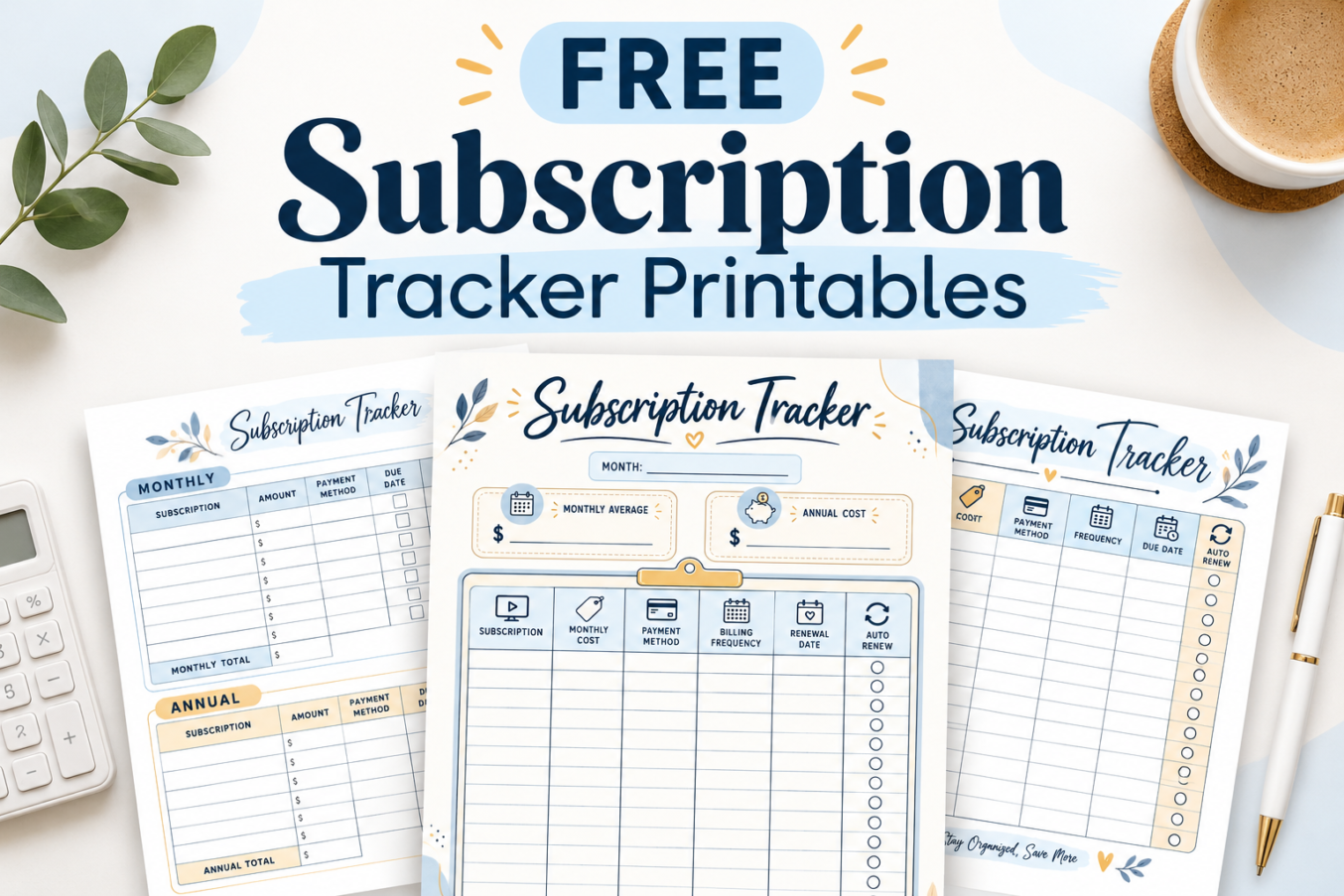

Streaming services, software, memberships, and other recurring charges can be easy to overlook when they renew on different dates. A small monthly payment can also become a meaningful yearly expense.
These printable subscription trackers help you see what you pay for, when payments are due, and which subscriptions you may want to review. The collection includes simple lists, monthly and annual worksheets, individual subscription records, and a detailed yearly overview.
9 Free Subscription Tracker Printables
Choose a design based on how much detail you want to record. Every worksheet shown here has blank spaces for your own information, and the layouts use soft blue tones with understated decorative accents.
- Quick subscription overviews: Designs 1, 3, and 5 provide easy-to-scan subscription tables.
- Monthly and annual budgeting: Designs 2, 4, and 8 help you compare costs across billing periods.
- Renewal and payment tracking: Design 7 includes dedicated monthly and annual frequency checkboxes.
- Individual subscription records: Designs 6 and 9 give you more room to document each service.
All nine templates are designed for writing information by hand. You can choose one worksheet for your entire subscription list or combine multiple designs to create a more detailed tracking system.
Why Use a Printable Subscription Tracker?
A subscription tracker puts recurring expenses on one page instead of leaving them scattered across receipts, statements, and account dashboards. It can help you spot charges you forgot about and plan for renewals before they arrive.
- See your recurring spending. Record costs in one place and calculate monthly or yearly totals.
- Stay aware of renewal dates. Check upcoming billing dates before a payment is due.
- Review automatic payments. Identify services that may renew without a new checkout.
- Find opportunities to save. Compare what you use with what you are paying for.
- Keep useful account details together. Record payment methods, notes, and cancellation instructions where the design allows.
Keeping a written record is especially useful if you have subscriptions billed through different payment methods or services that renew only once a year.
How to Use a Subscription Tracker Printable
Start by checking your bank or card statements and the subscriptions listed in your app stores or service accounts. Then fill in your chosen worksheet using the details you can verify.
- List your subscriptions. Write down each streaming service, software plan, membership, or other recurring payment.
- Record the cost. Enter the amount charged for each subscription.
- Identify the billing frequency. Note whether you pay monthly, quarterly, annually, or on another schedule.
- Add payment information. Record the payment method and the next due or renewal date where applicable.
- Check automatic renewal. Mark whether each subscription renews automatically after confirming its settings.
- Calculate your totals. Add up recurring expenses using a consistent monthly or annual basis.
- Review your list. Update the tracker when you start, cancel, pause, or change a subscription.
For budgeting, a yearly plan can be converted into a monthly equivalent by dividing its annual cost by 12. A monthly plan can be estimated on a yearly basis by multiplying its monthly cost by 12. Keep actual billing dates separate from these budgeting estimates.
9 Free Printable Subscription Tracker Templates
Below are all nine subscription tracker designs. Each has a different arrangement of fields, checkboxes, or summary sections to help you manage recurring expenses in the way that works best for you.
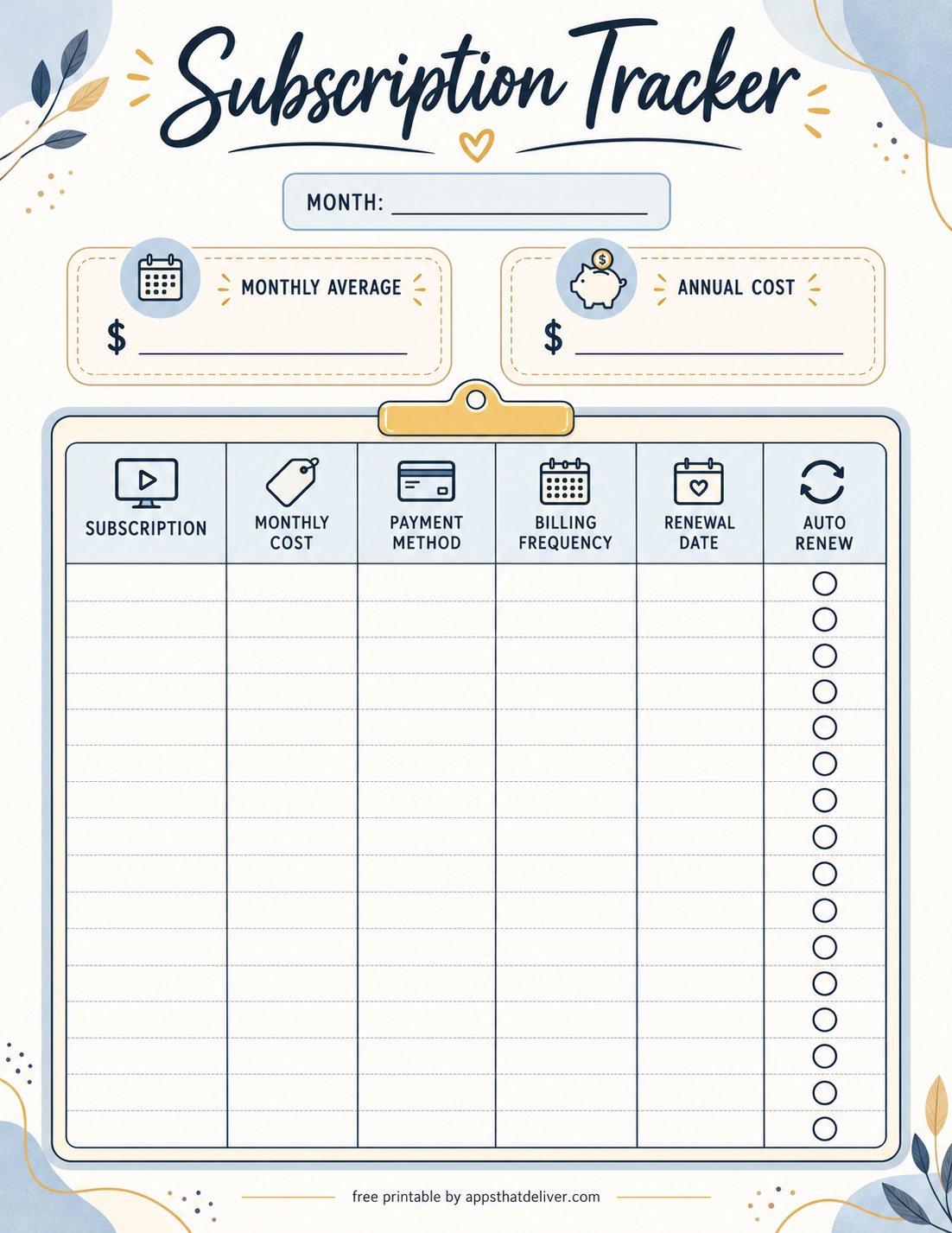
1. Subscription Tracker with Monthly Average and Annual Cost
This colorful subscription tracker printable combines a detailed subscription table with two useful spending summaries.
At the top, there is a blank month field and two separate boxes labeled Monthly Average and Annual Cost. These allow you to estimate how much your subscriptions cost each month and across an entire year.
The main table includes columns for subscription, monthly cost, payment method, billing frequency, renewal date, and auto renew. Blank circles in the final column make it easy to mark subscriptions that renew automatically.
This is a good choice if you want to maintain a comprehensive list of recurring services while keeping your overall subscription spending visible.
2. Monthly and Annual Subscription Tracker
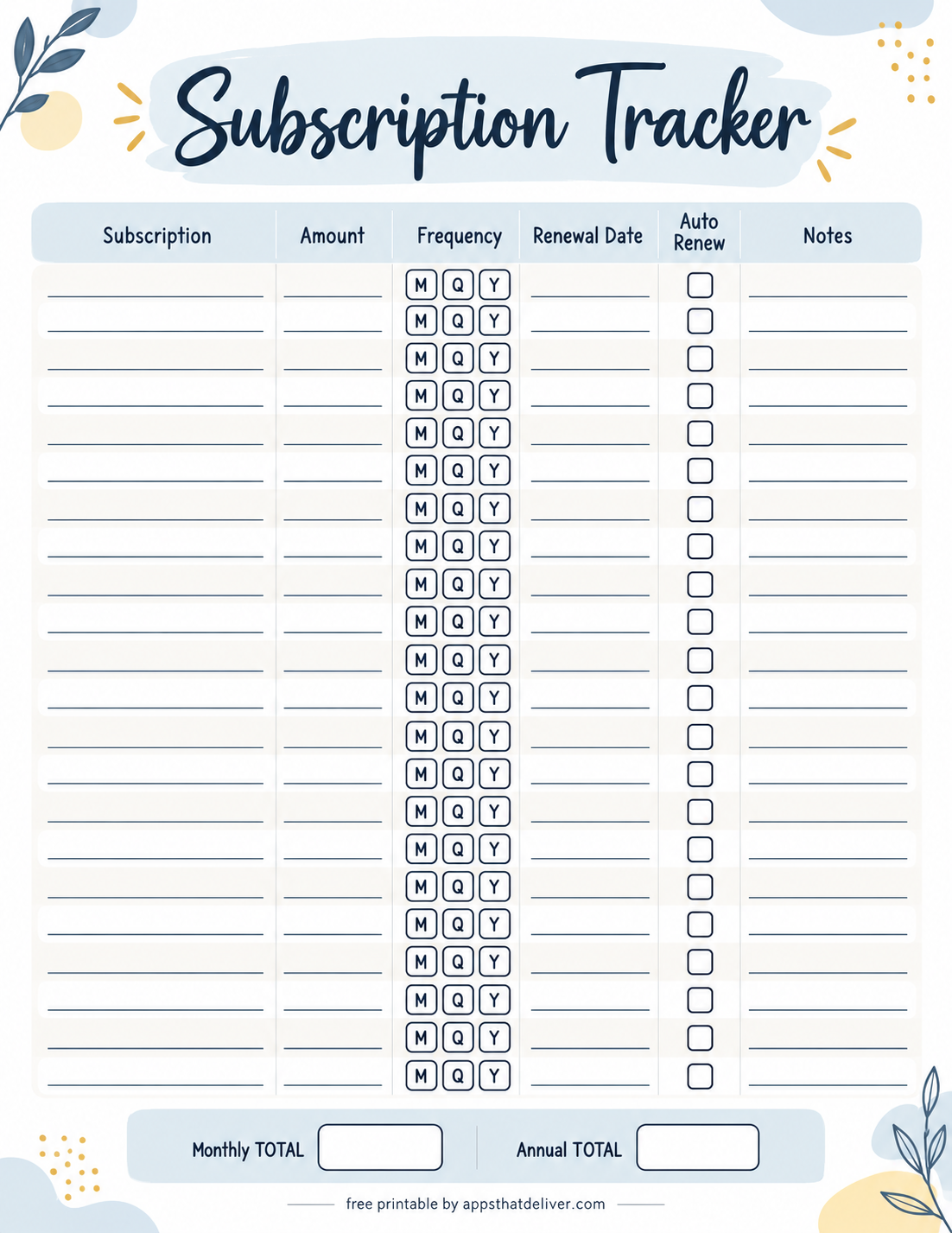
This monthly and annual subscription tracker separates recurring expenses into two clearly labeled sections, making it easier to organize services with different billing schedules.
The Monthly section includes columns for subscription, amount, payment method, due date, auto renew, and notes. A Monthly Total row at the bottom helps you calculate your regular monthly spending.
The Annual section uses a similar table for subscriptions charged once a year, with a separate Annual Total row. Both sections provide blank checkboxes for automatic renewals.
This design is particularly helpful when you want to distinguish predictable monthly payments from larger annual charges that require advance budgeting.
3. Simple Subscription Tracker with Billing Frequency
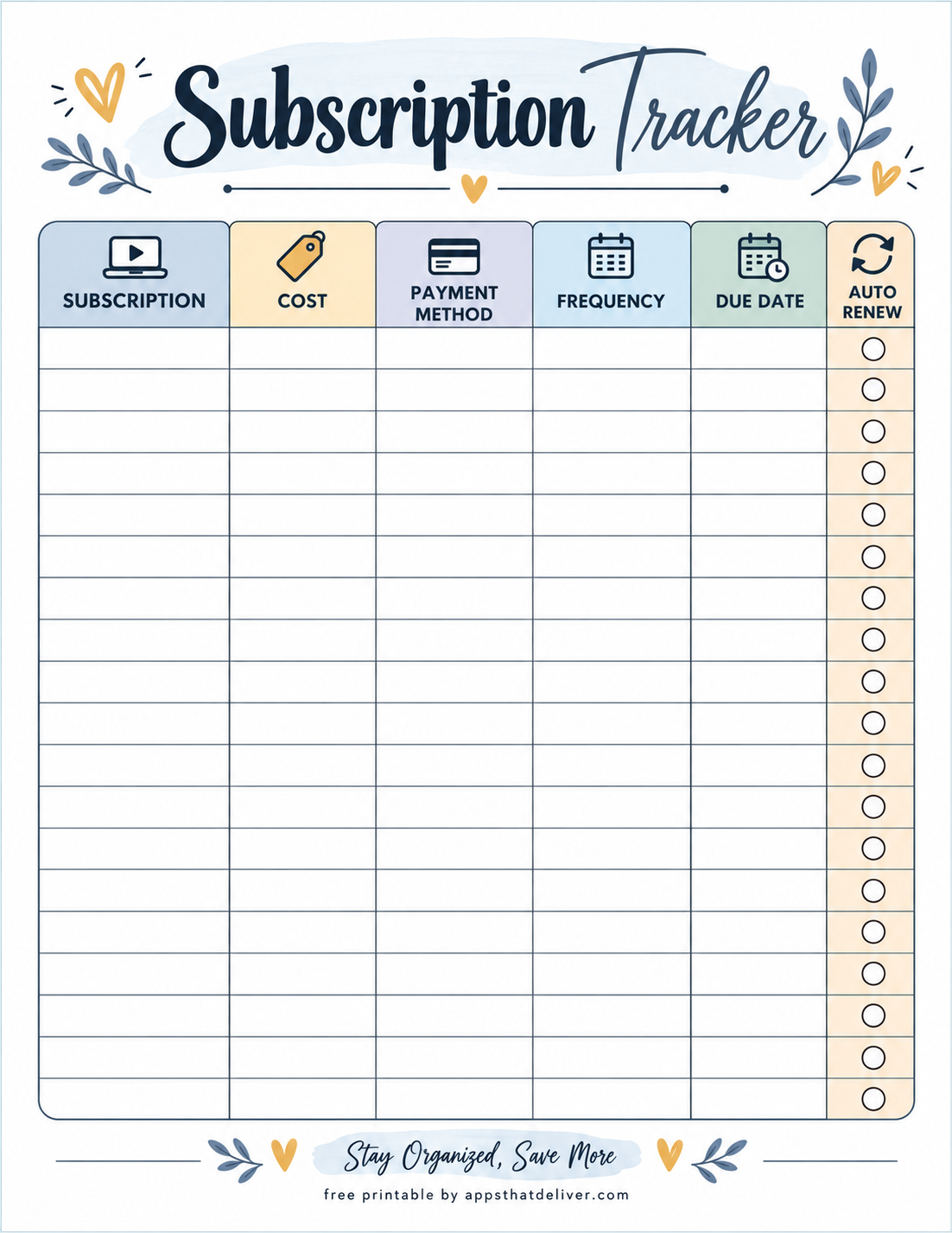
If you prefer a straightforward worksheet without additional calculations, this simple subscription tracker offers a spacious table for recording your recurring payments.
The six columns cover subscription, cost, payment method, frequency, due date, and auto renew. Each subscription has its own writing row, and the automatic renewal column contains an empty circle that you can mark as needed.
The layout gives you plenty of space to record services such as streaming memberships, software subscriptions, cloud storage, and other regular payments.
Choose this design if your main goal is to keep an organized list of what you pay for and when each payment is due.
4. Subscription Tracker with Frequency Checkboxes
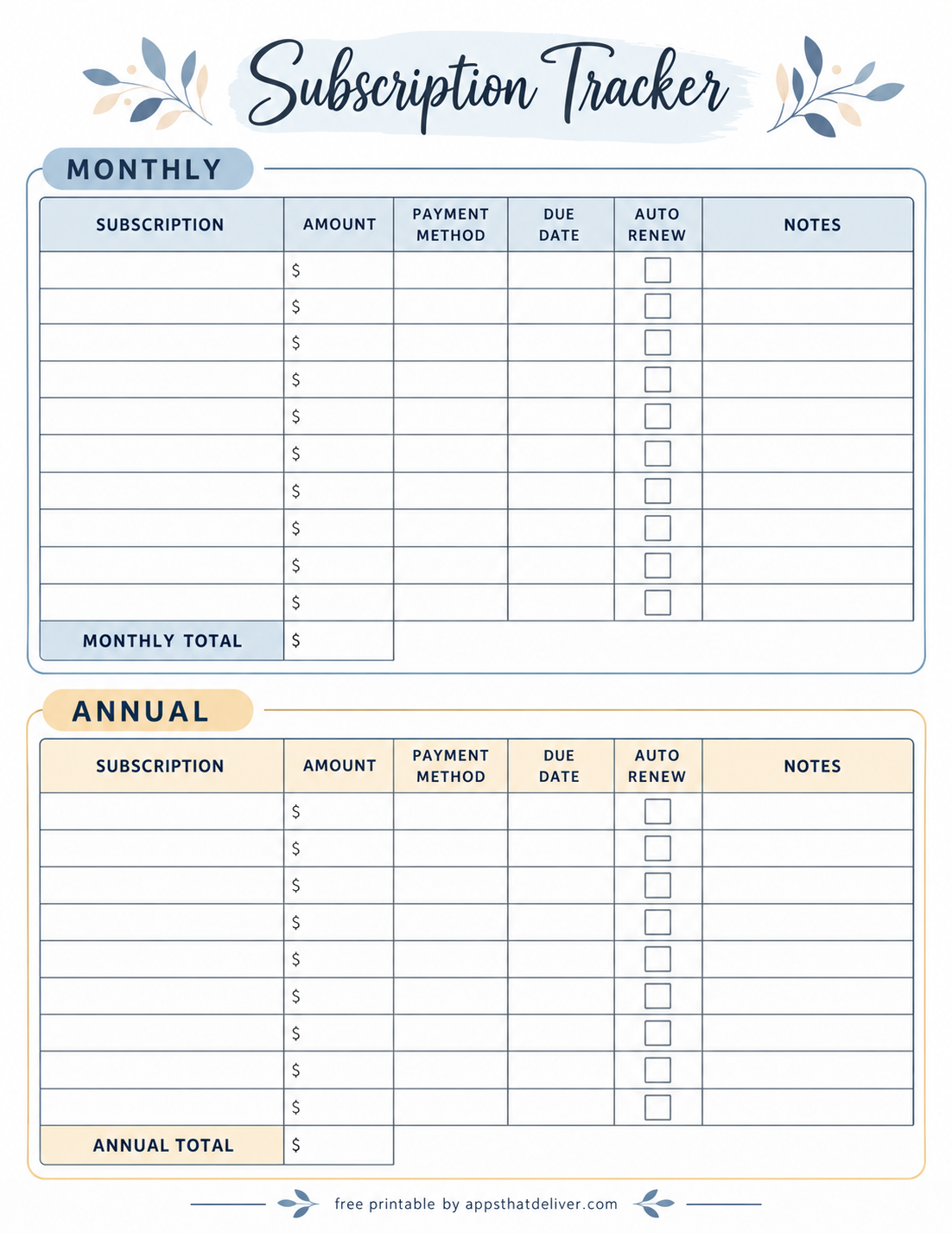
This recurring subscription tracker is designed to help you organize services with different billing frequencies on the same worksheet.
The table includes columns for subscription, amount, frequency, renewal date, auto renew, and notes. Instead of writing the billing frequency repeatedly, you can mark one of three options: M for monthly, Q for quarterly, or Y for yearly.
Each row also includes a blank automatic renewal checkbox and writing lines for the subscription details. At the bottom, separate Monthly TOTAL and Annual TOTAL boxes allow you to summarize your spending.
This design works well when you have a combination of monthly memberships, quarterly services, and annual subscriptions and want to compare their costs more easily.
5. Minimal Subscription Tracker with Due Dates
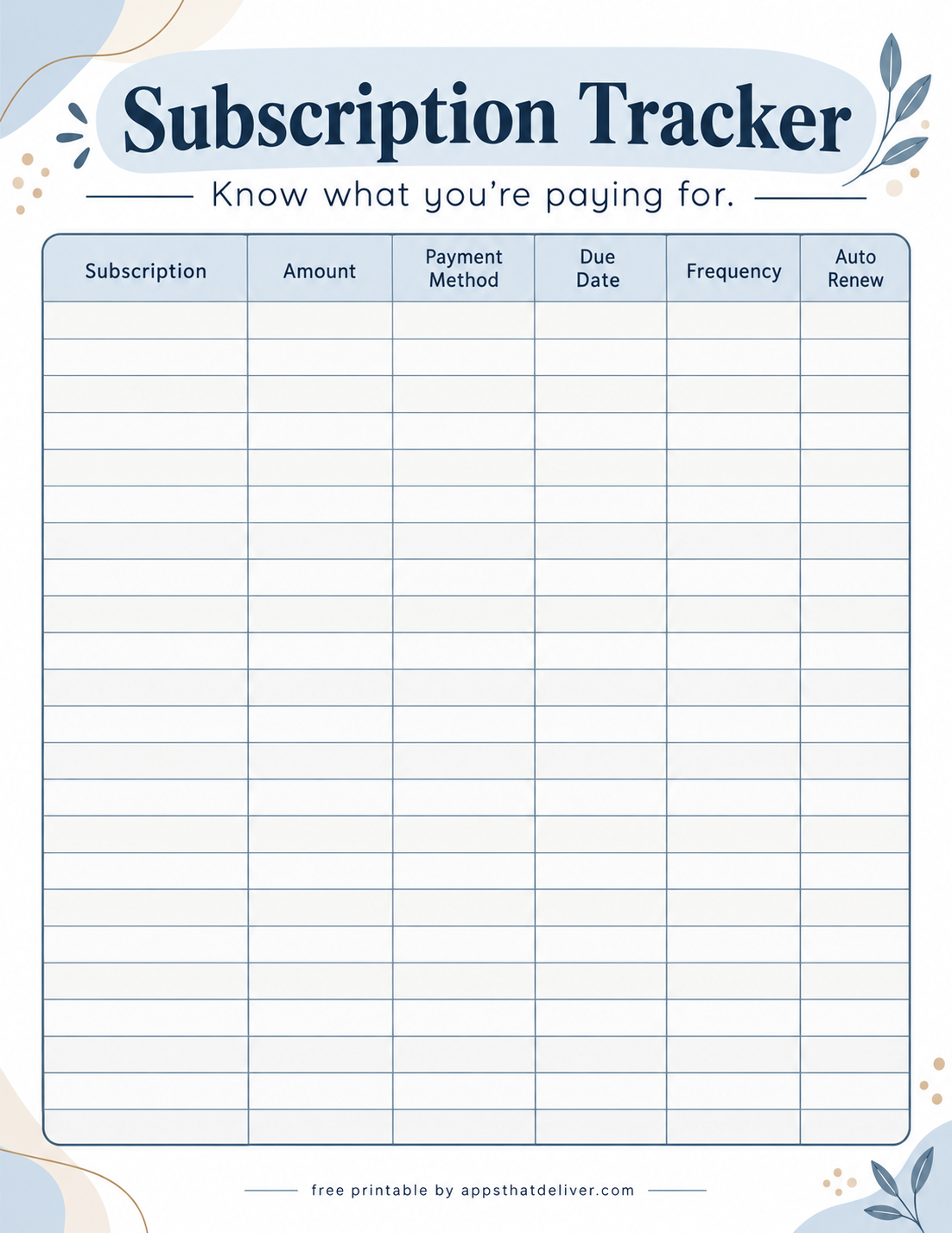
This minimal subscription tracker printable focuses on the essential information you need to manage recurring payments.
Its large table contains six columns: subscription, amount, payment method, due date, frequency, and auto renew. The design provides numerous blank rows for tracking services without unnecessary sections or decorations.
A simple heading and a short reminder to know what you are paying for complete the layout.
This worksheet is ideal if you want a clean, easy-to-read subscription list that you can update whenever a payment amount, billing date, or renewal setting changes.
6. Detailed Subscription Payment and History Tracker
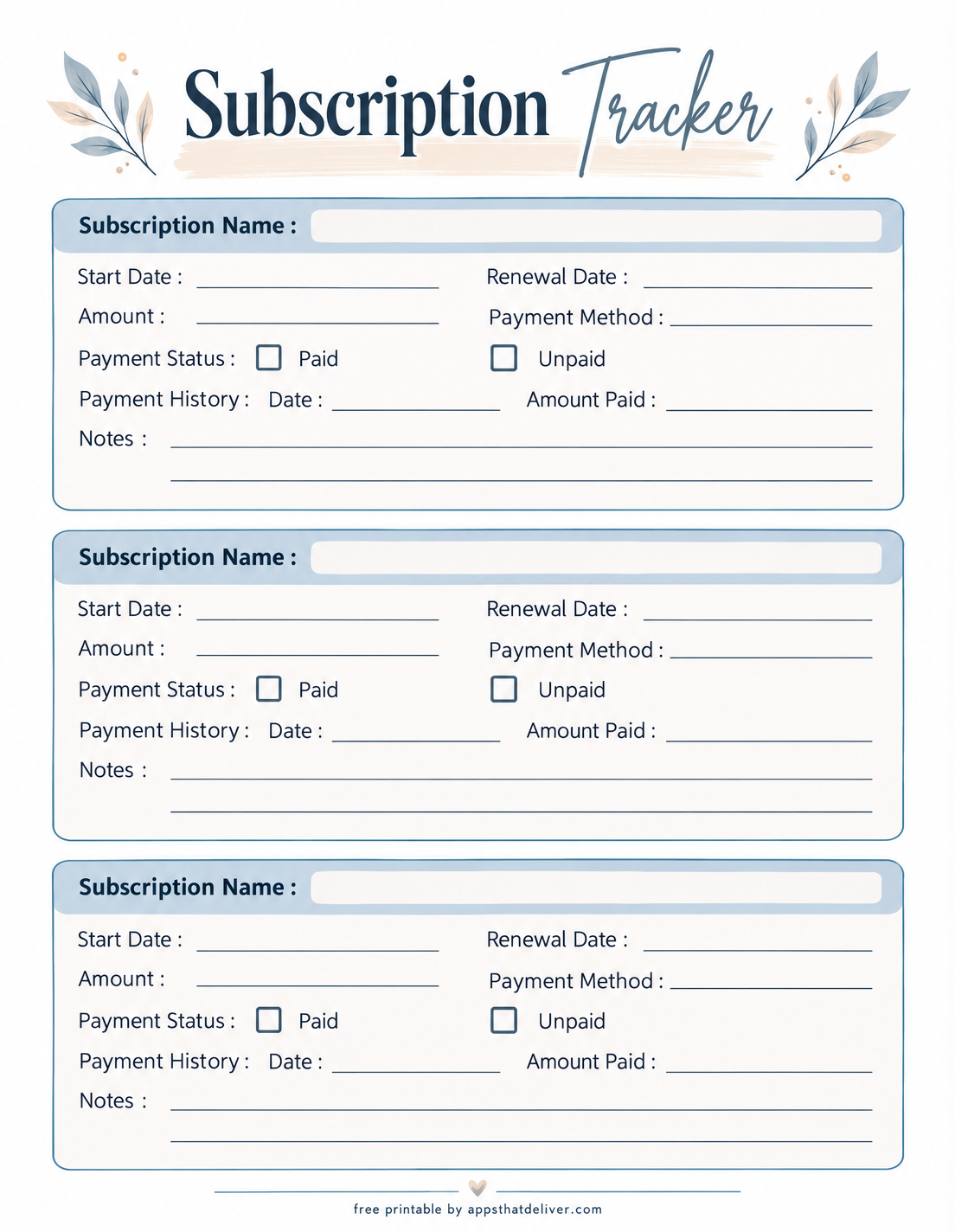
This subscription payment tracker is useful when you want to maintain individual records rather than putting every subscription into a single table.
The printable includes three separate subscription sections. Each one begins with a Subscription Name field and provides spaces for Start Date, Renewal Date, Amount, and Payment Method.
There are also Payment Status checkboxes for Paid and Unpaid, along with a Payment History area where you can record a date and the amount paid. A Notes section provides additional writing space.
This design is especially helpful for subscriptions you want to monitor individually, such as annual memberships, professional software plans, or services with payment details you may need to reference later.
7. Subscription Tracker with Monthly and Annual Checkboxes
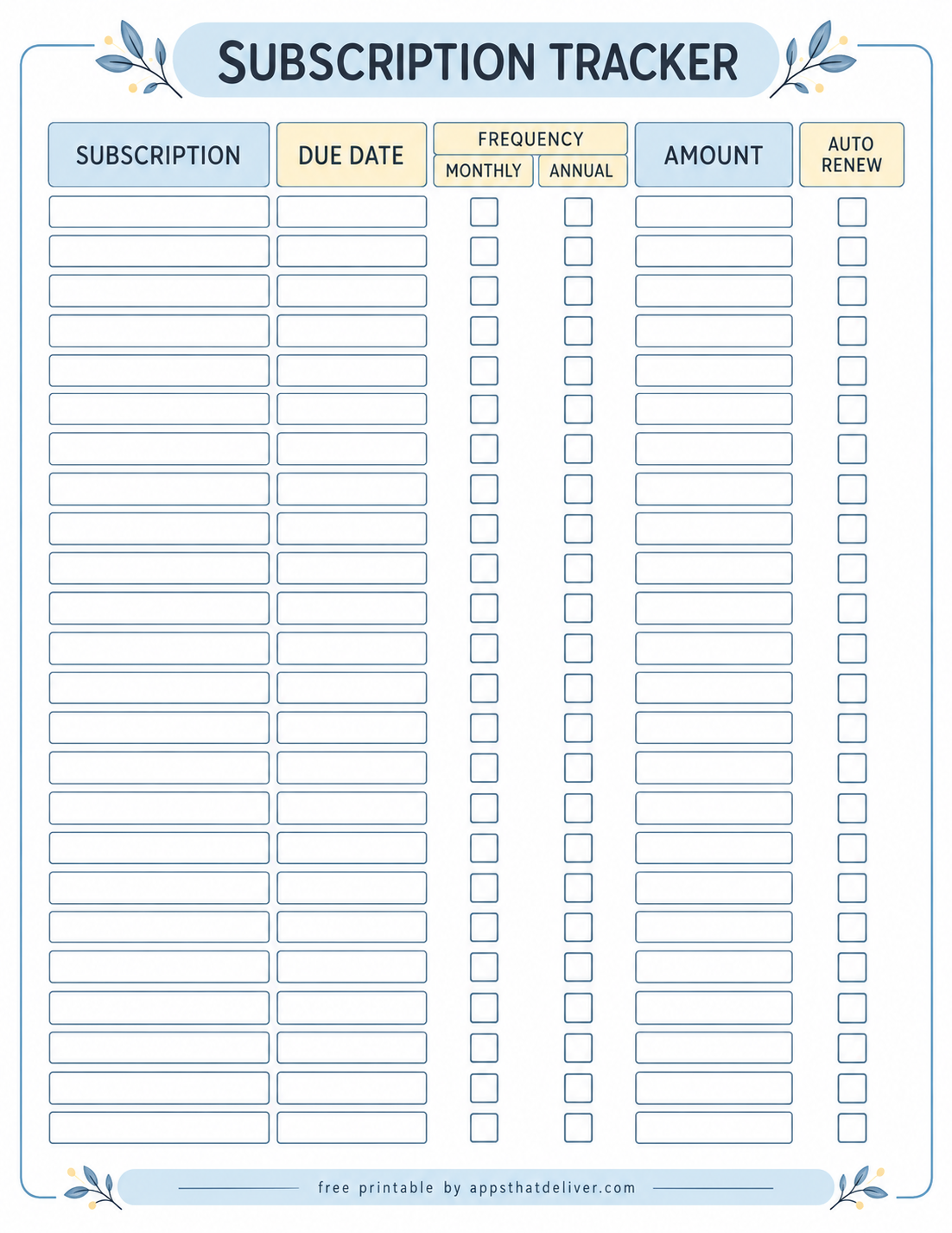
This subscription renewal tracker uses a clear checklist layout to help you manage recurring services and their billing schedules.
The worksheet has columns for Subscription, Due Date, Frequency, Amount, and Auto Renew. The Frequency section is divided into Monthly and Annual options, each with its own checkbox for every subscription.
Separate blank boxes make it easy to write subscription names, payment amounts, and due dates. The final column lets you identify subscriptions with automatic renewal enabled.
This printable is a practical option when you want a quick visual way to distinguish monthly charges from annual payments without calculating totals on the same page.
8. Yearly Subscription Tracker with Budget and Savings Overview
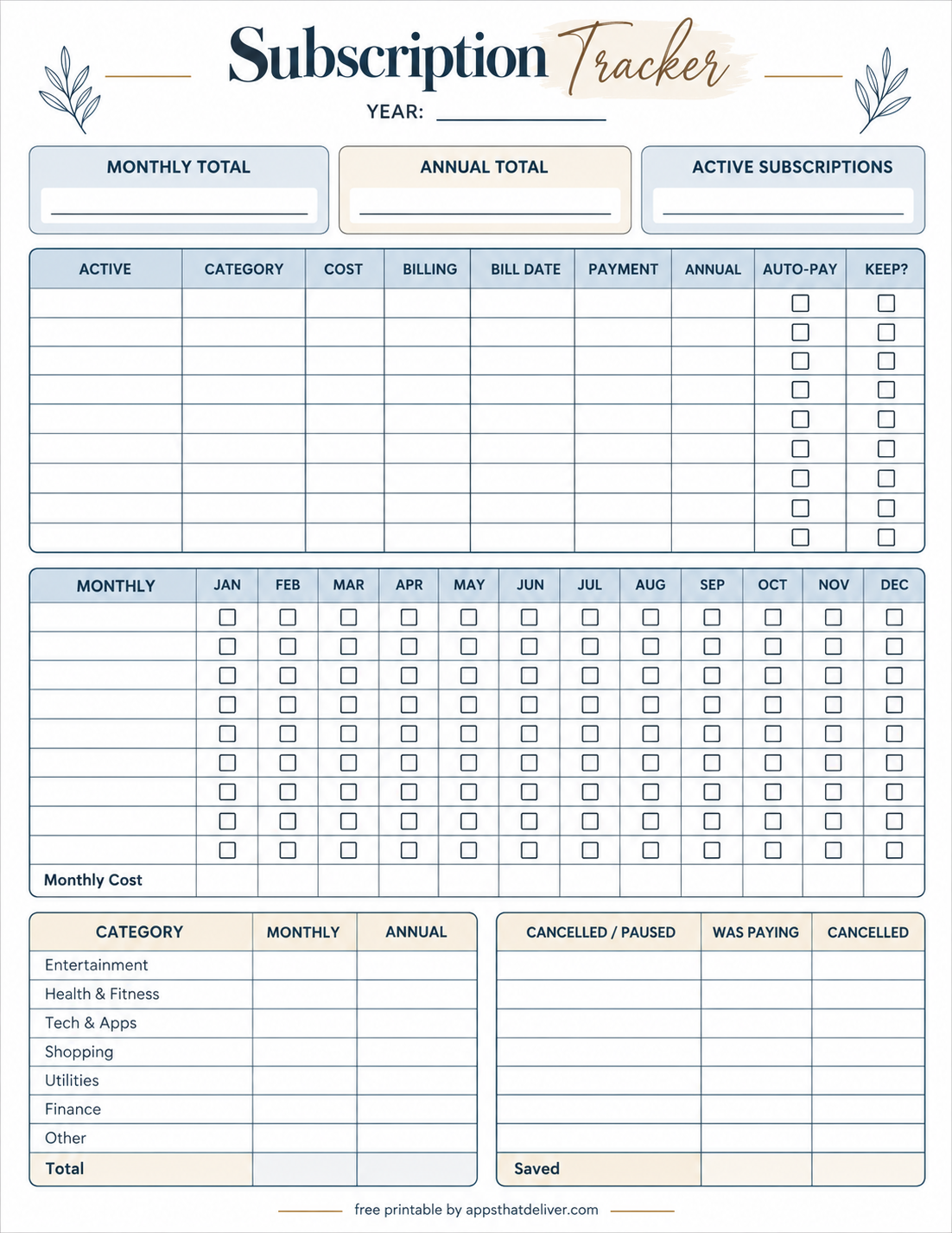
This comprehensive annual subscription tracker printable brings subscription details, yearly payment tracking, category spending, and cancellation records together on one page.
At the top, you can enter the year and fill in three summary fields: Monthly Total, Annual Total, and Active Subscriptions.
The main subscription table includes columns for Active, Category, Cost, Billing, Bill Date, Payment, Annual, Auto-Pay, and Keep?. This helps you organize your subscriptions while considering which services are worth continuing.
A separate monthly tracking grid runs from January through December, with blank checkboxes for recording payments throughout the year and a Monthly Cost row.
At the bottom, a category summary lets you organize spending under Entertainment, Health & Fitness, Tech & Apps, Shopping, Utilities, Finance, and Other. Another table tracks Cancelled / Paused subscriptions, what you were paying, cancellation details, and savings.
Choose this design if you want a more complete picture of your subscription spending and a practical way to identify opportunities to reduce recurring expenses.
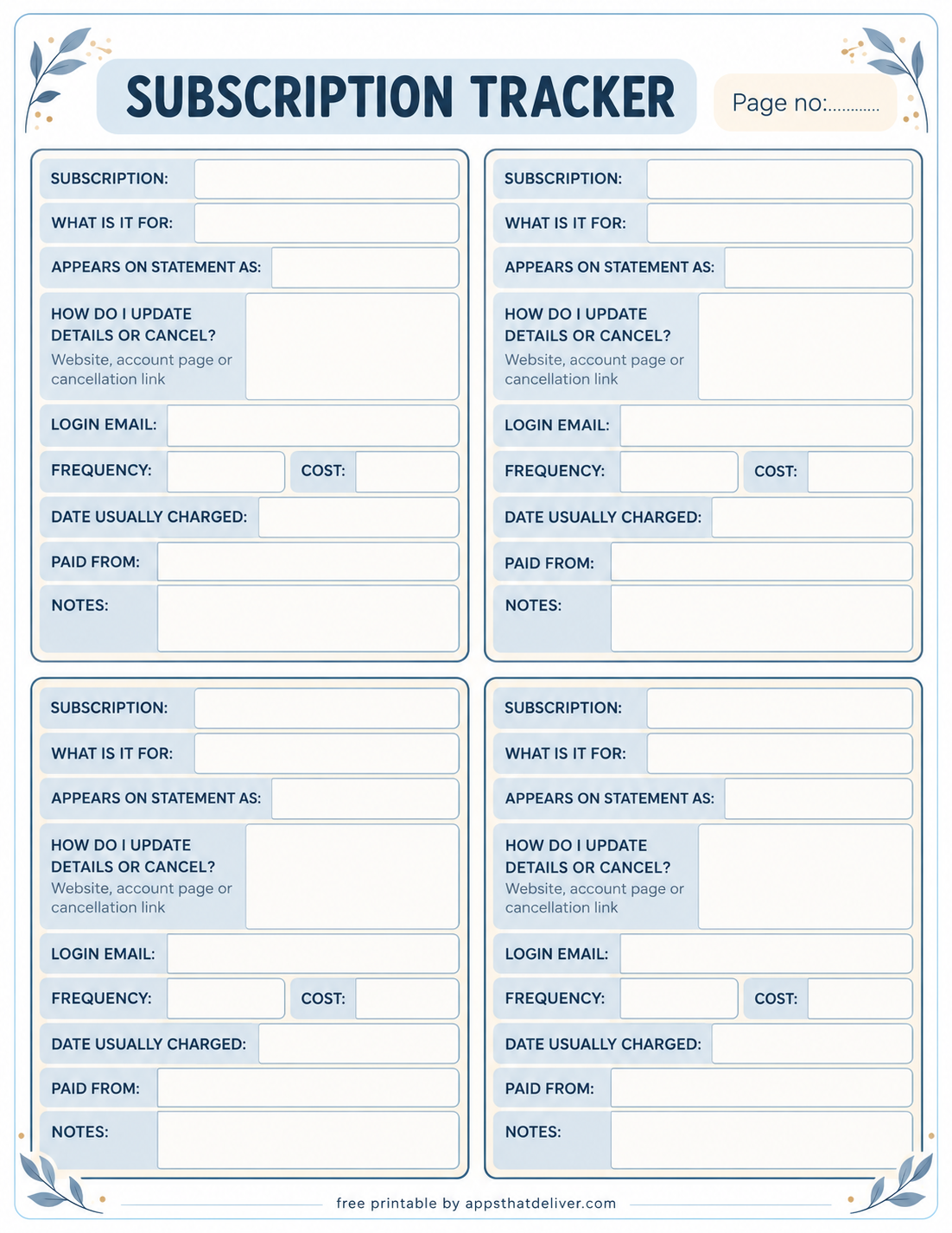
9. Detailed Subscription Information and Cancellation Tracker
This subscription management worksheet is designed for keeping detailed information about individual services, including how to update or cancel them.
Each page contains four separate subscription record sections and a Page no. field. Every section includes spaces for Subscription, What Is It For, and Appears on Statement As, helping you recognize charges that may use a different billing name.
One of the most useful features is the How Do I Update Details or Cancel? area, where you can record the relevant website, account page, or cancellation link.
Additional fields cover Login Email, Frequency, Cost, Date Usually Charged, Paid From, and Notes. These make the worksheet a convenient reference when reviewing account details or preparing to cancel a subscription.
This design is particularly useful for managing multiple online accounts and subscriptions that have different billing names, account settings, or cancellation procedures. For security, avoid writing passwords or full payment card numbers on the worksheet.
Which Subscription Tracker Printable Should You Choose?
With nine different layouts available, the best choice depends on how you want to organize your recurring expenses.
- For a complete subscription overview: Design 1 combines a detailed table with monthly and annual spending summaries.
- For separate monthly and annual lists: Design 2 keeps subscriptions organized by billing period.
- For a simple tracking table: Design 3 or Design 5 provides a straightforward list without additional summary sections.
- For mixed billing frequencies: Design 4 includes monthly, quarterly, and yearly frequency options.
- For individual payment records: Design 6 includes payment status, history, and notes for each subscription.
- For monthly versus annual checkboxes: Design 7 makes it easy to mark the billing frequency of each service.
- For yearly budgeting and subscription reviews: Design 8 offers the most comprehensive overview, including categories, payment checkboxes, and cancelled subscriptions.
- For account and cancellation information: Design 9 provides dedicated spaces for billing names, account details, and cancellation instructions.
You do not have to use only one printable. For example, you might use Design 8 as your main yearly overview and Design 9 to keep detailed information about subscriptions that require more attention.
How to Review Your Subscriptions and Reduce Unnecessary Costs
A subscription tracker is most useful when you review it regularly instead of filling it in once and forgetting about it. Here are five practical ways to make your worksheet part of your budgeting routine.
1. Make a Complete List of Your Subscriptions
Check recent bank statements, credit card statements, app store subscriptions, and the billing pages of services you use. Record even small charges so your overview is as complete as possible.
Look for subscriptions that may be billed under a parent company or payment processor rather than the name you recognize. Design 9 has a dedicated field for recording how a charge appears on your statement.
2. Compare Monthly and Annual Costs
Monthly, quarterly, and annual charges are not directly comparable until you convert them to a common period.
For example, a subscription costing $12 per month has an estimated annual cost of $144 if the price stays the same. A subscription costing $120 per year has a monthly budgeting equivalent of $10.
Use these calculations to understand your spending while keeping the actual payment amounts and billing dates recorded separately.
3. Check Upcoming Renewal Dates
Pay special attention to annual subscriptions, free trials that convert to paid plans, and services with automatic renewal.
Review the renewal dates on your worksheet and verify cancellation deadlines with the service provider. Some subscriptions require cancellation before the next billing date to avoid another charge.
4. Decide Which Subscriptions to Keep
Review each subscription and consider how often you actually use it. A service that once felt essential may no longer be worth its recurring cost.
You can also check whether two subscriptions provide similar benefits, whether a less expensive plan is available, or whether pausing a service would make sense.
Design 8 includes a Keep? column and a Cancelled / Paused section that can help you document these decisions and estimate your savings.
5. Update Your Tracker Regularly
Review your worksheet when a subscription changes price, a payment method expires, or you add or cancel a service.
A quick monthly check can help keep your information accurate and make it easier to prepare for upcoming payments.
Monthly vs. Annual Subscription Tracking
Monthly and annual subscriptions affect your budget differently, even when their total yearly costs are similar.
Monthly subscriptions usually involve smaller, more frequent payments. They can be easier to budget for individually, but several charges combined may represent a significant regular expense.
Annual subscriptions are charged less frequently and may be easier to forget about. Recording the next renewal date and setting aside a monthly amount can help you prepare for the payment.
If you have both types, Design 2 provides separate monthly and annual tables. Design 4 offers frequency choices and spending totals, while Design 8 provides a more detailed yearly view.
Subscription Categories You May Want to Track
Recurring payments can appear in many parts of your budget. When filling in your subscription tracker, consider checking these common categories:
- Entertainment: Streaming platforms, music services, and gaming memberships.
- Technology and apps: Software plans, cloud storage, and productivity tools.
- Health and fitness: Gym memberships, workout apps, and wellness services.
- Shopping: Retail memberships and recurring delivery plans.
- Education: Learning platforms, online courses, and educational memberships.
- Finance: Paid financial tools and subscription-based account services.
- Other services: Any additional recurring payments that do not fit neatly into another category.
Design 8 includes a category summary with monthly and annual columns, making it especially useful for seeing which types of subscriptions account for the largest share of your spending.
Printing and Organizing Your Subscription Tracker Worksheets
Download the PDF for your preferred design and print a copy using your printer settings. Check the print preview before printing and avoid scaling that cuts off the page edges.
You can keep completed subscription tracker pages in a budget binder, household finance folder, or another location where you store financial records.
If you use a detailed subscription information tracker, store it somewhere private because account email addresses and payment sources can be sensitive. Avoid recording passwords, security codes, or full payment card numbers.
Print a new worksheet when your subscription list changes significantly, or keep using the same page and update individual entries as needed.
Frequently Asked Questions
It is a worksheet for recording recurring services, their costs, billing schedules, renewal dates, and related details.
This collection contains nine different designs, ranging from simple tables to a yearly overview and detailed individual subscription records.
Design 2 has separate monthly and annual tables. Design 8 offers a yearlong payment checklist and spending summaries.
Yes. Several designs include an auto renew column or checkbox so you can mark subscriptions that renew automatically.
Add the monthly charges, then convert less frequent payments into monthly equivalents, such as dividing an annual payment by 12. Keep the actual payment dates recorded separately.
Yes. Design 8 includes a cancelled or paused section with fields for what you were paying and the cancellation information.
No. The printable designs have blank entry areas so you can write in your own subscription information.
No. Do not write passwords on these worksheets. Design 9 provides fields for useful account-management information without requiring passwords.
Final Thoughts
A subscription tracker can make recurring spending easier to understand and manage. Whether you need a quick list of payments, a monthly and annual cost comparison, or a detailed yearly review, these 9 free subscription tracker printables offer different ways to stay organized.
Choose the layout that fits your needs, download the PDF, and start with the subscriptions you currently pay for. Update it whenever your services or billing details change.
Happy organizing!