
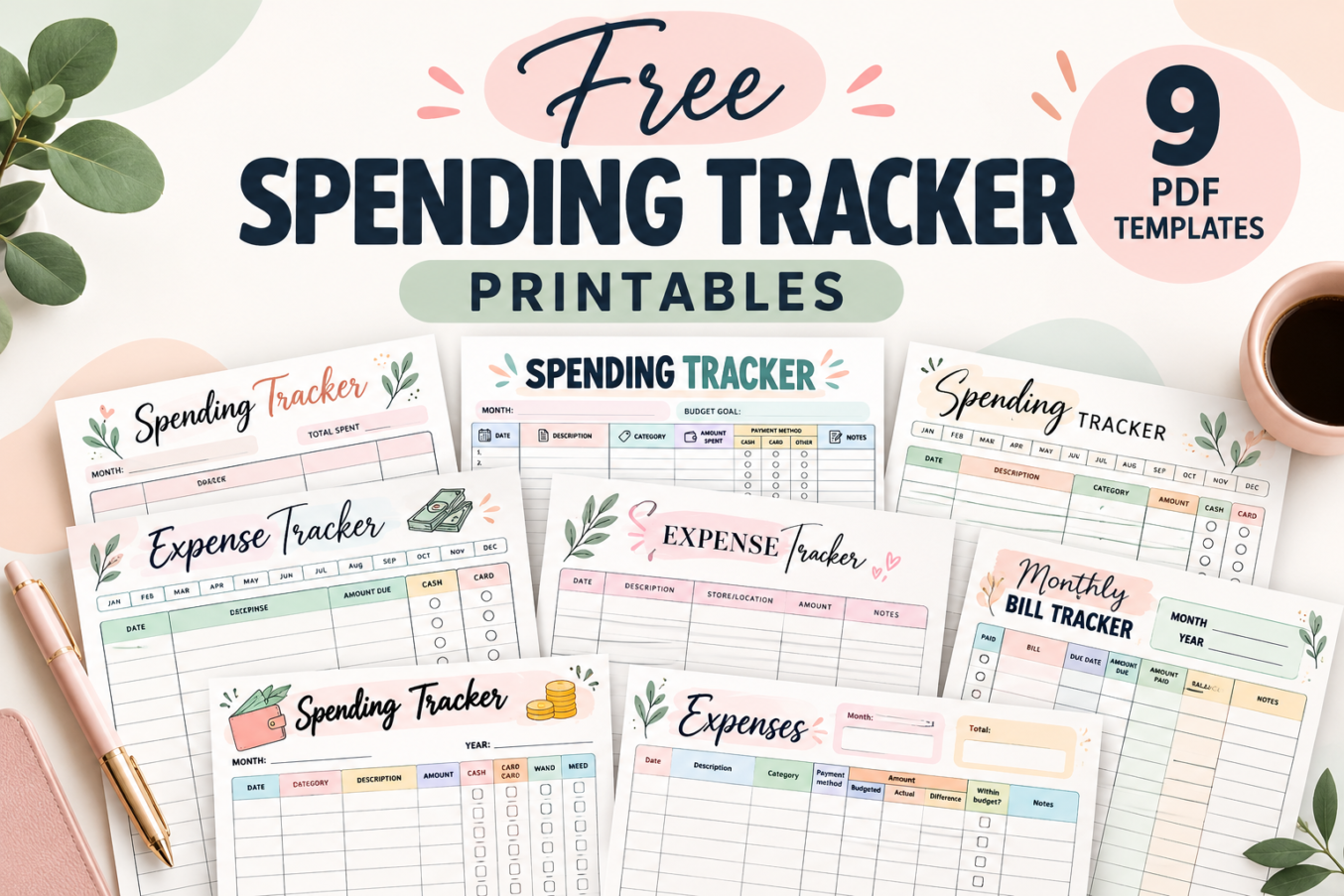

It is surprisingly easy to forget small purchases. A coffee, a quick grocery stop, or an online order may not seem significant on its own, but these transactions can add up over a month.
A printable spending log makes those purchases visible. Write down what you bought, how much you paid, and any details that help you review your habits later—without building a complicated spreadsheet.
This collection includes nine different layouts, ranging from simple expense tables to detailed monthly summaries, cash-versus-card trackers, and a bill payment worksheet. Each design has blank spaces for your own entries.
Free Spending Tracker Printables
Choose a layout based on what you want to monitor. Some sheets focus on individual transactions; others help you compare planned spending with actual costs or keep recurring bills organized.
- Everyday spending logs: Designs 2, 3, 4, and 6 offer straightforward transaction records.
- Detailed expense tracking: Designs 1, 7, and 8 include categories, payment information, or additional spending details.
- Budget versus actual: Design 5 provides multiple budget-and-actual tables alongside an income section.
- Monthly bill management: Design 9 records bills, due dates, payments, and remaining balances.
Why Track Your Spending?
Recording purchases can help you see patterns that are easy to miss when you only look at an account balance. You can spot categories that take up a large share of your budget, notice recurring charges, and make more informed decisions about future purchases.
- See where your money goes. Keep everyday transactions together instead of relying on memory.
- Review payment habits. Use the cash and card columns on applicable templates to distinguish how purchases were paid.
- Compare plans with reality. Check whether actual spending stays close to what you intended.
- Prepare for upcoming bills. Record due dates and payment status on the bill tracker.
- Make adjustments. Use what you learn from one month to plan the next.
How to Use a Printable Spending Tracker
- Pick the right worksheet. Choose a simple spending log for daily purchases or a detailed template if you also need categories and summaries.
- Download and print. Use the PDF button below your chosen design, then print a blank copy.
- Set the tracking period. Write the month or year where the design provides a field or month selector.
- Record each purchase. Enter the date, description, and amount; complete any relevant category or payment columns.
- Review regularly. Check your totals, compare spending with your budget, and note any patterns worth changing.
- Start a fresh page when needed. Keep completed worksheets together for reference.
9 Free Printable Spending and Expense Trackers
Below are all nine designs. The previews show the different writing areas and tracking options, so you can select a worksheet that matches the level of detail you want.
1. Spending Tracker with Monthly Budget Summary
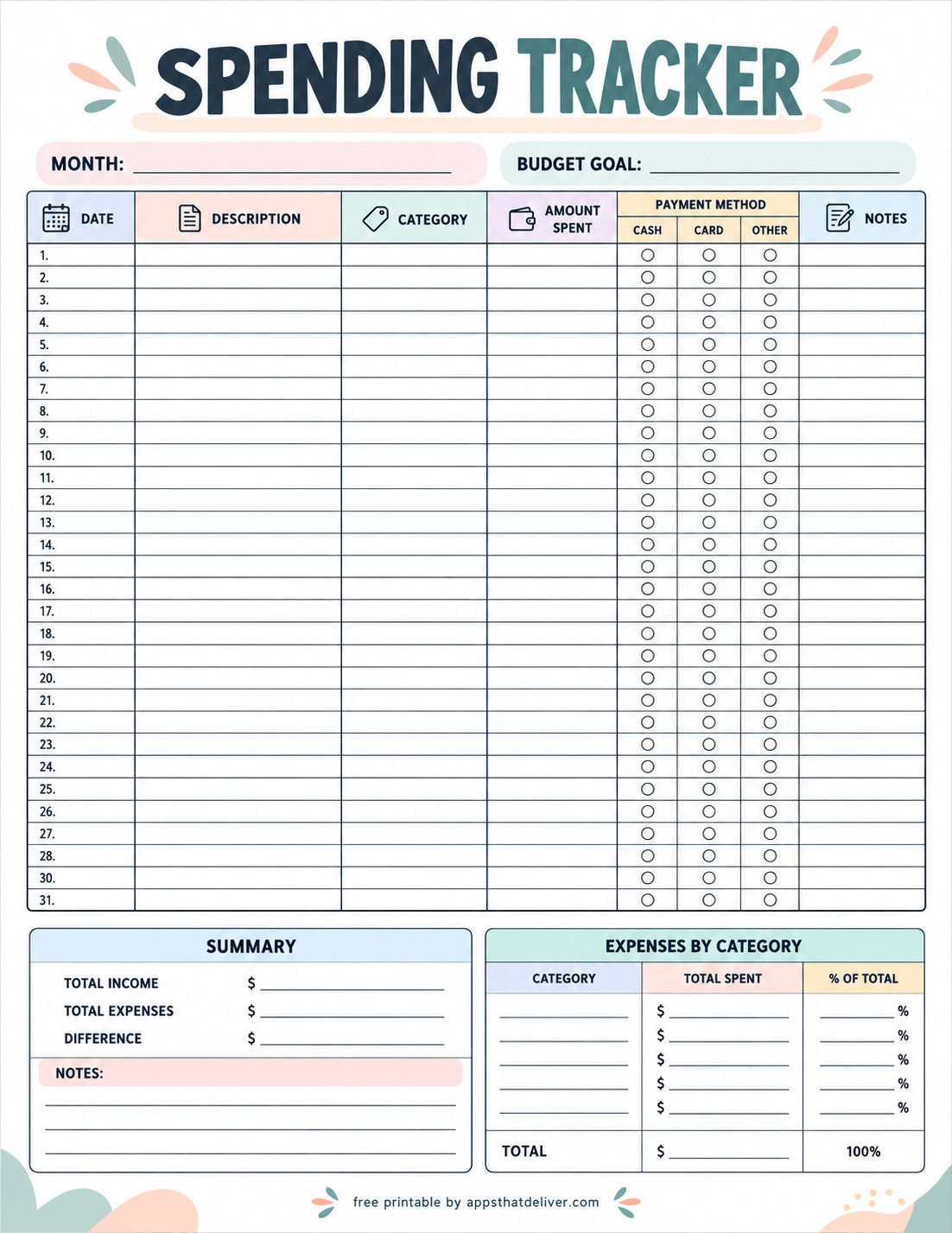
This detailed Spending Tracker combines a transaction log with a monthly financial overview. At the top, you can enter the month and budget goal. The main table includes date, description, category, amount spent, payment method (cash, card, or other), and notes.
A summary section provides lines for total income, total expenses, and the difference. Beside it, an expenses-by-category table lets you calculate total spending and each category’s percentage of the total. Choose this layout when you want both purchase-level detail and a monthly snapshot.
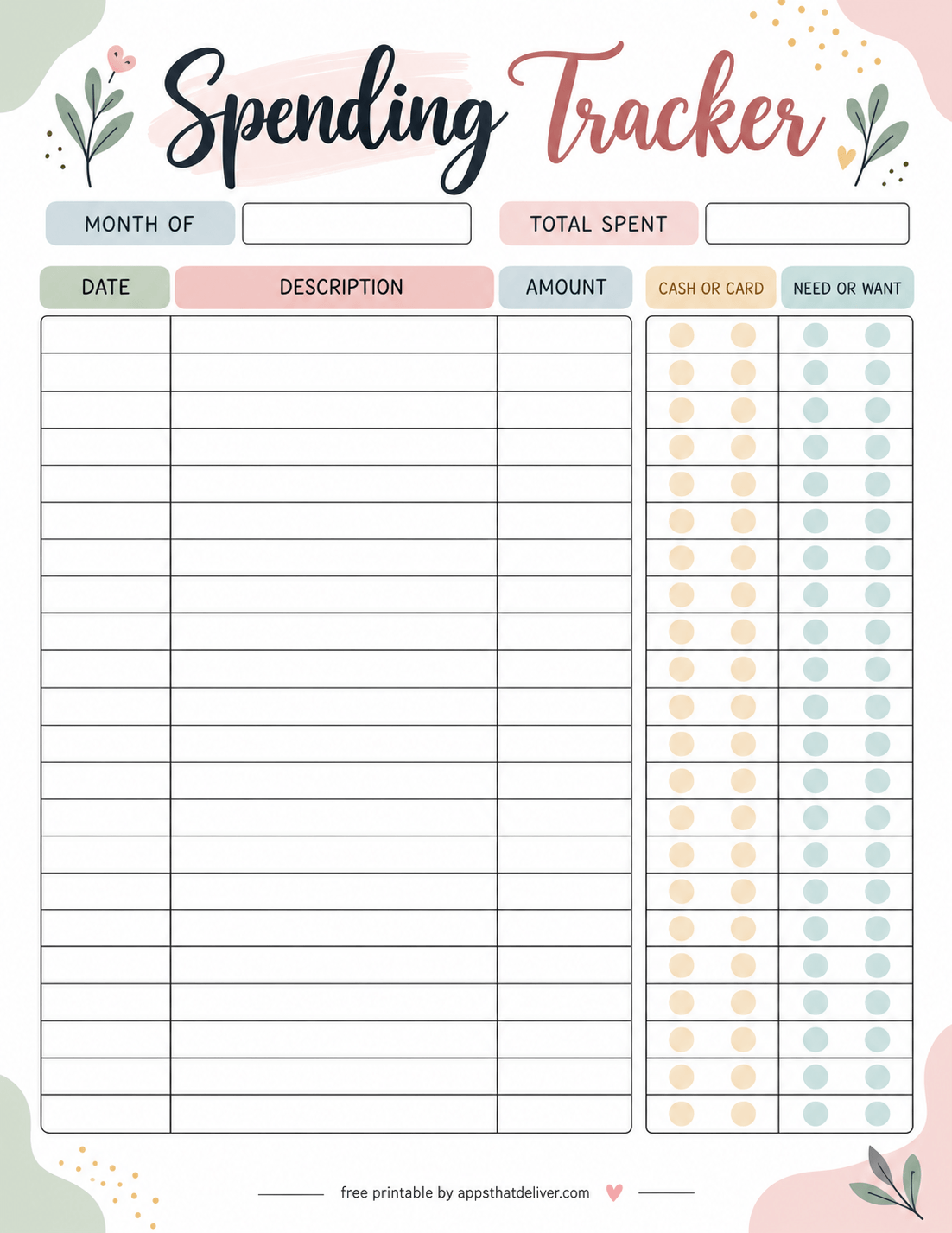
2. Spending Tracker with Cash or Card and Need or Want
This Spending Tracker is useful for understanding not only what you buy, but also how you classify each purchase. It includes spaces for the month and total spent, followed by date, description, and amount columns.
Two sets of marking circles let you indicate cash or card and need or want for each entry. It is a practical choice if you want to reflect on discretionary purchases while keeping the transaction log uncomplicated.
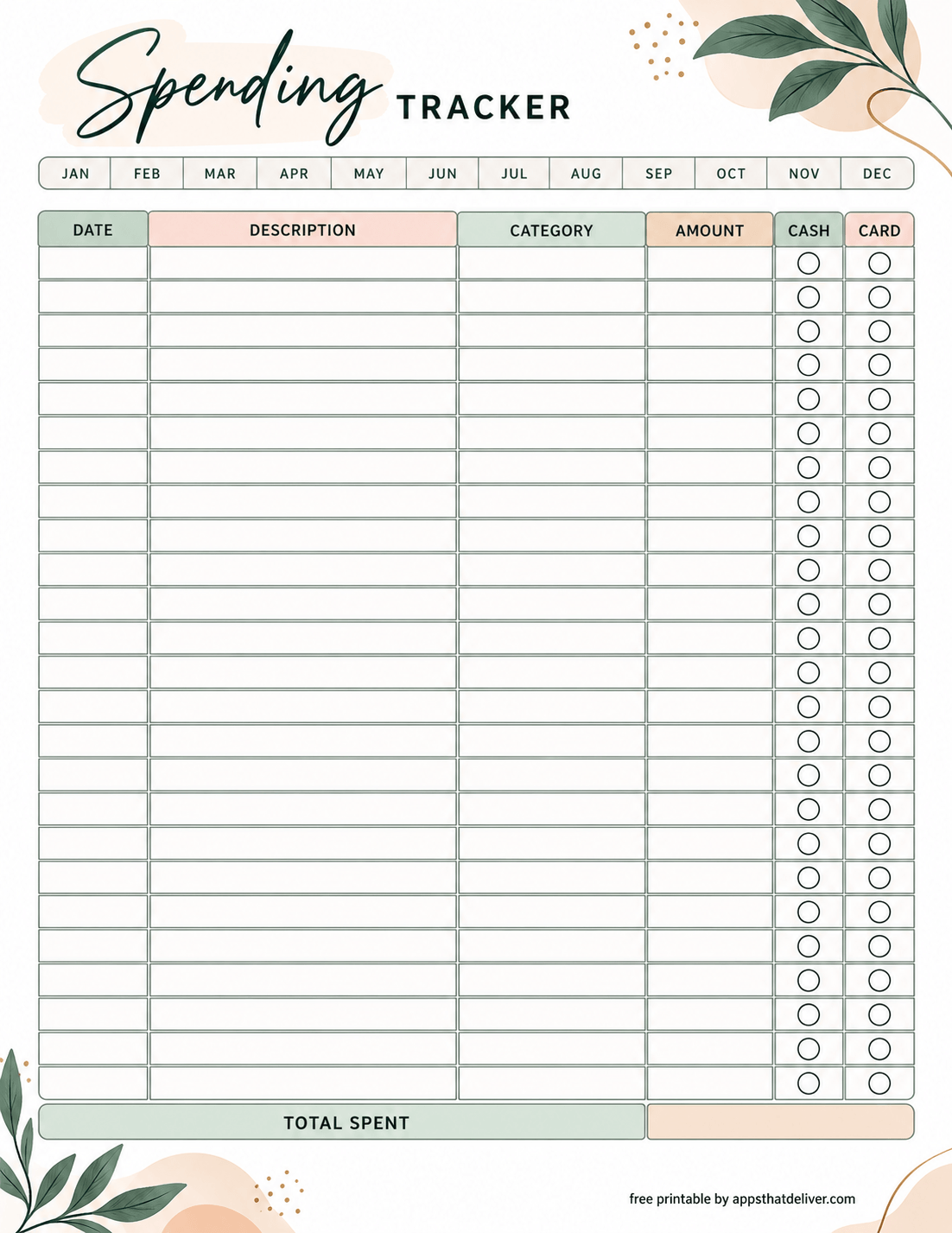
3. Monthly Spending Tracker with Category and Payment Type
This botanical-style Spending Tracker features a row of month abbreviations from January through December. Its main table has columns for date, description, category, amount, cash, and card.
Mark the relevant payment circle beside each purchase and add your total in the Total Spent field at the bottom. This design works well for tracking spending by category without a separate summary table.
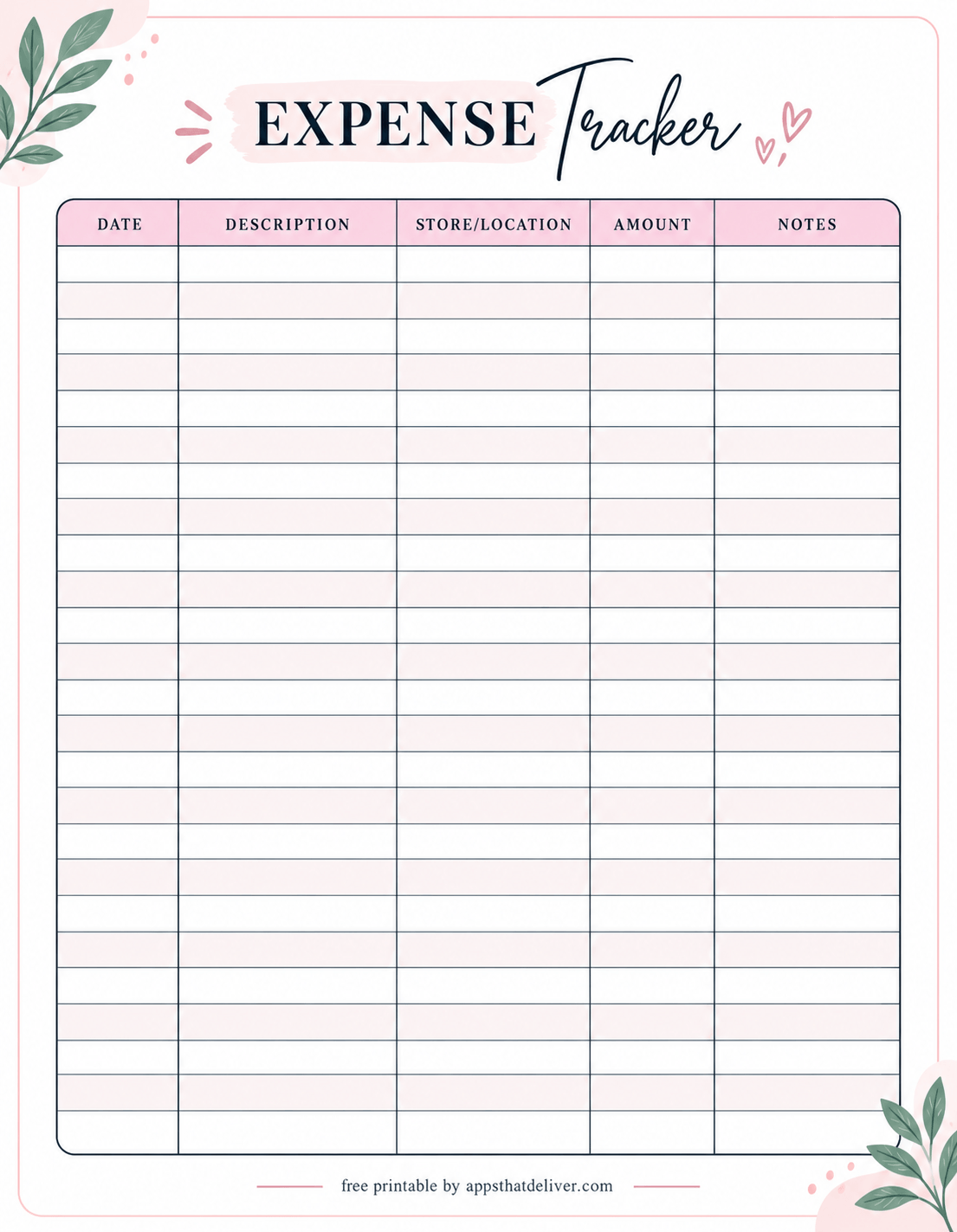
4. Simple Expense Tracker with Store or Location
This Expense Tracker offers a clean five-column layout for date, description, store/location, amount, and notes. The generous writing rows make it easy to document purchases without extra calculations or checkboxes.
Use the store/location column to remember where a purchase happened, and the notes column for details such as the purpose of a purchase or an item you may need to return. It is a good fit for anyone who prefers a straightforward expense log with plenty of writing space.
The soft pink header, delicate botanical decorations, and simple table make this design attractive without distracting from its main purpose: recording expenses clearly.
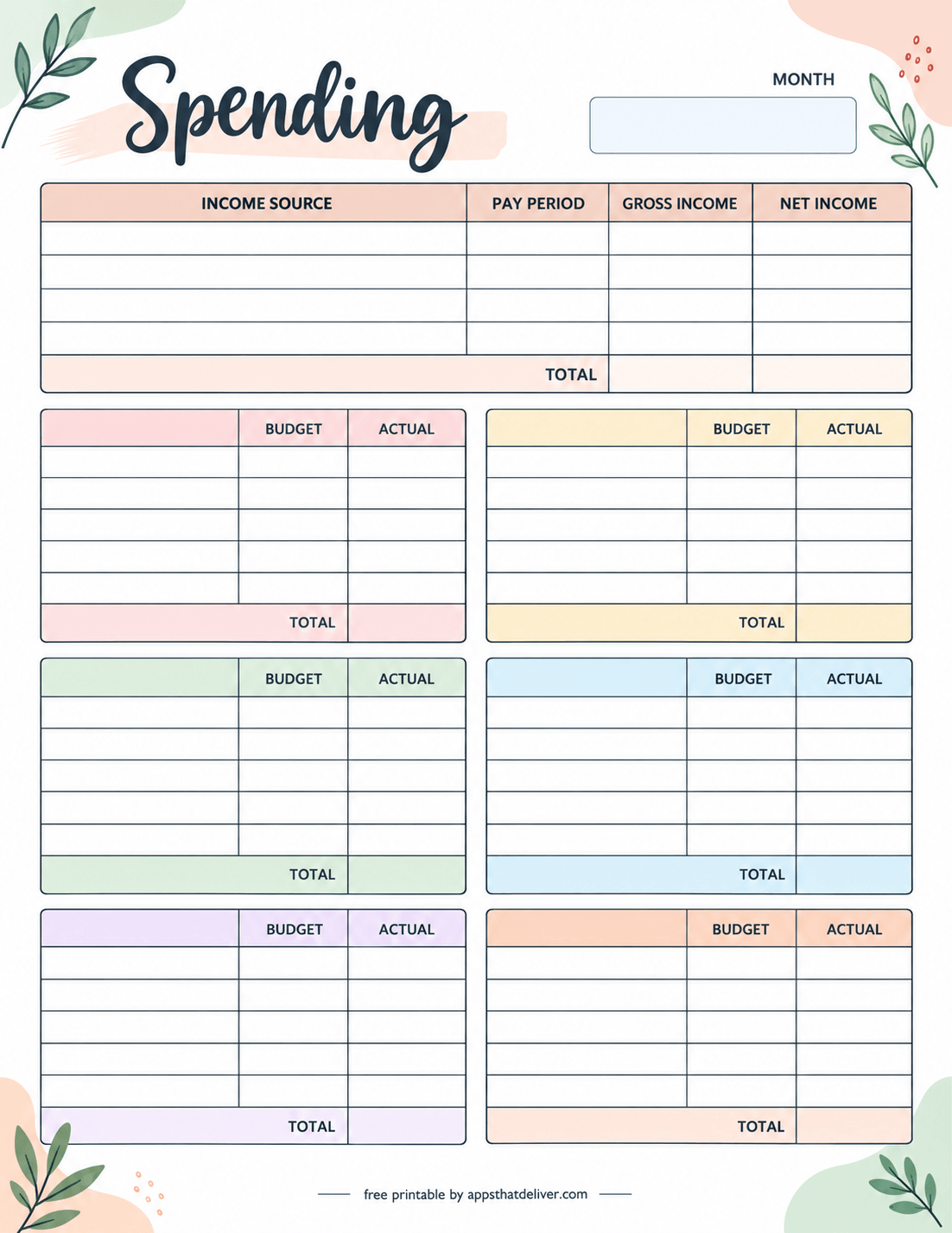
5. Monthly Income and Budget vs. Actual Spending Tracker
This monthly budget and spending printable takes a different approach from the transaction-based trackers. Instead of listing individual purchases, it provides a structured way to organize income and compare planned amounts with actual figures.
The income table at the top includes income source, pay period, gross income, and net income, followed by a total row. Below it are six separate tables with Budget, Actual, and Total fields.
You can use these tables to organize different spending groups, such as household expenses, transportation, groceries, personal spending, savings contributions, or other categories that matter to your budget.
Because the category fields are blank, you can customize the sections to suit your finances. This is a useful choice for people who want to plan their spending and review the results at the end of each month.
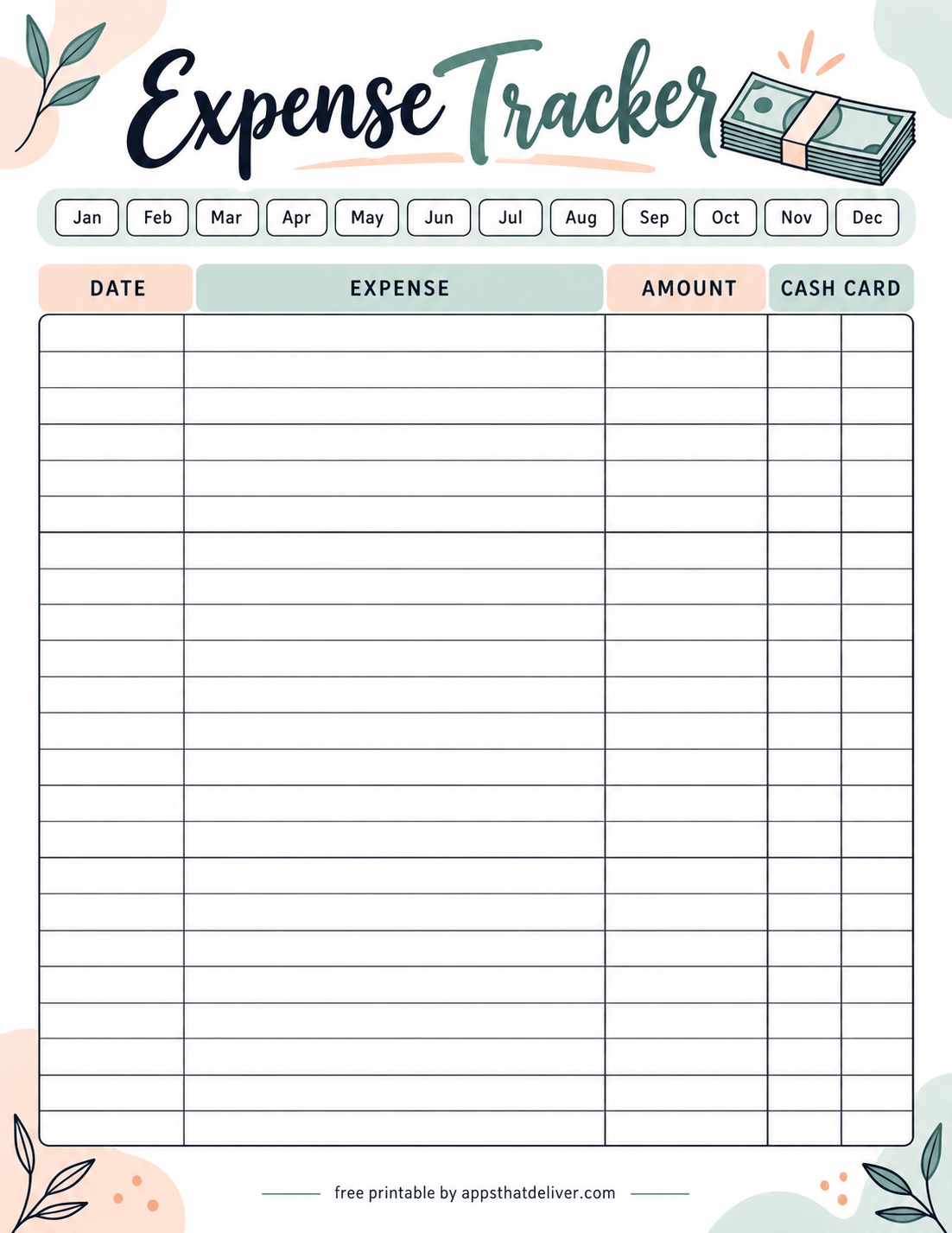
6. Expense Tracker with Monthly Selection and Cash or Card Columns
This colorful Expense Tracker printable is designed for quick, everyday expense recording. Across the top, you can select a month from January through December.
The large transaction table includes Date, Expense, Amount, Cash, and Card columns. You can write the date and expense details, enter the amount, and mark the appropriate payment method.
Its simple layout makes it especially useful if you want to track your purchases without adding category breakdowns, budget calculations, or lengthy notes.
The decorative money illustration, soft pastel headers, and botanical accents give this printable a cheerful appearance while leaving the main writing area uncluttered.
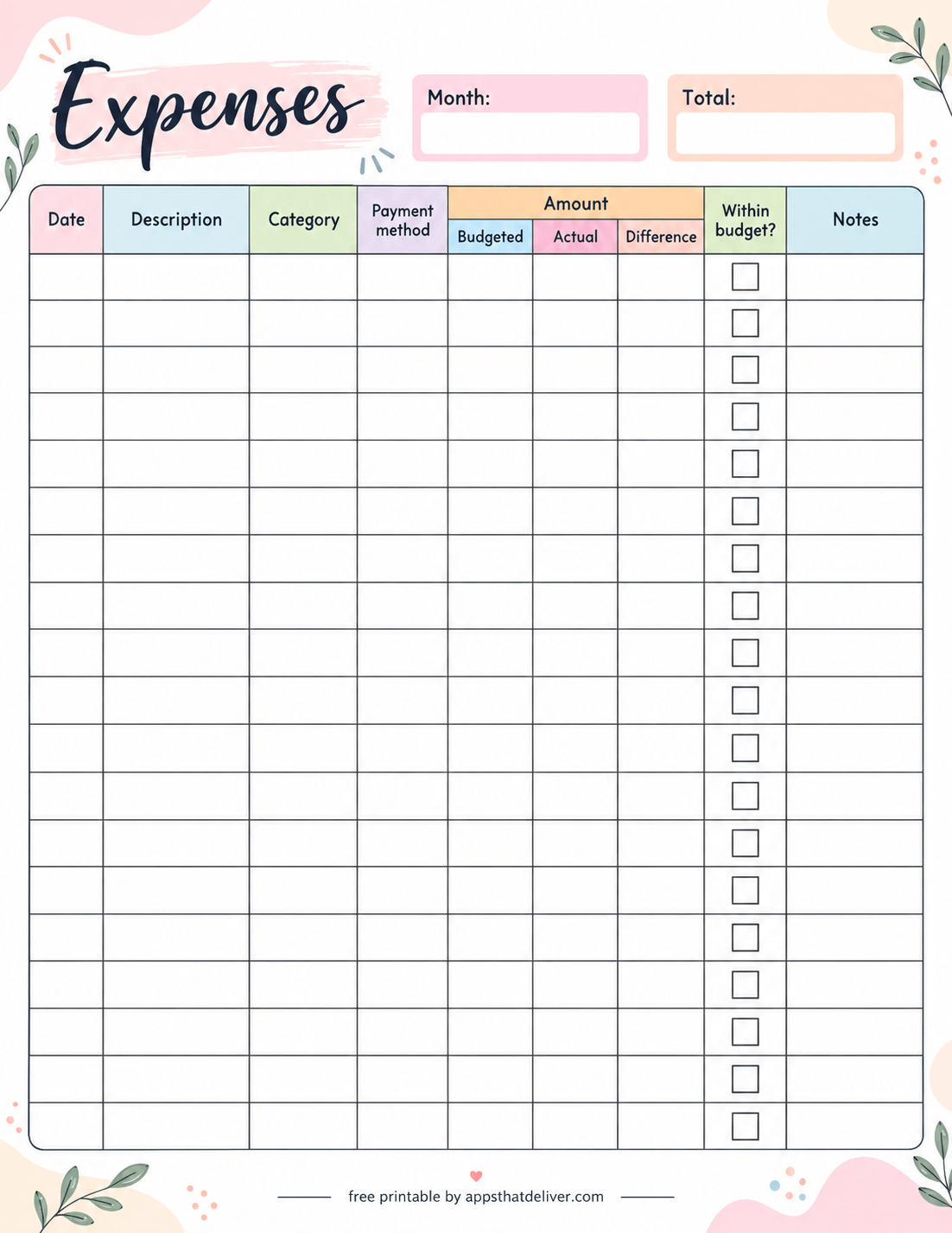
7. Expense Tracker with Budgeted, Actual, and Difference Columns
This Expense Tracker helps you compare what you planned to spend with what you actually spent. At the top, there are blank fields for the month and total.
The detailed table includes Date, Description, Category, Payment Method, and three Amount columns: Budgeted, Actual, and Difference. It also includes a Within Budget? checkbox and a Notes column.
For each expense, enter your planned amount and actual cost, then calculate the difference using a consistent method. Mark the checkbox when the expense stays within your planned budget.
This design is particularly useful for monitoring spending limits, identifying unexpected expenses, and reviewing which purchases cost more or less than expected.
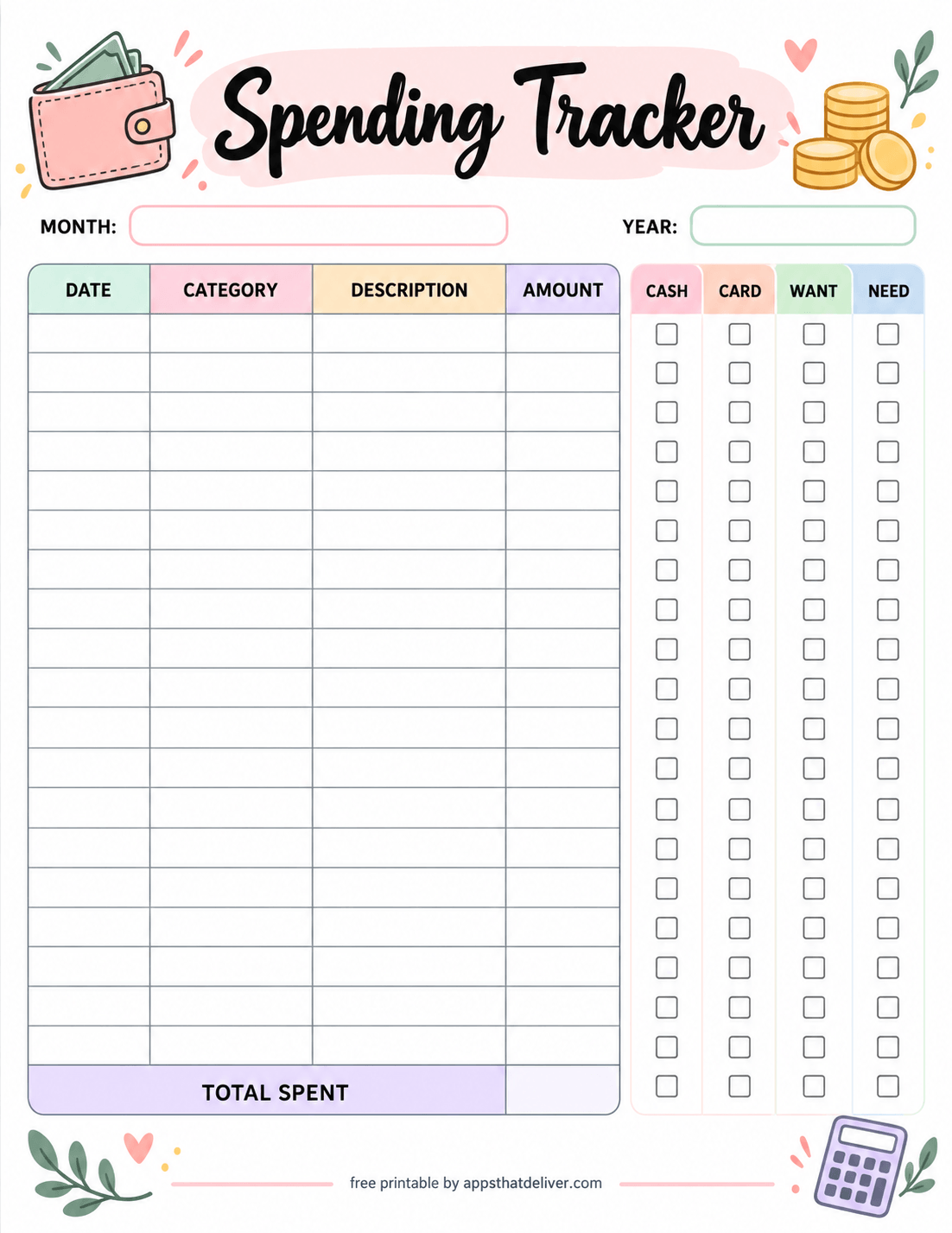
8. Spending Tracker with Cash, Card, Want, and Need Checkboxes
This Spending Tracker printable combines a traditional transaction log with a simple way to classify purchases. At the top, you can enter the month and year.
The main table provides Date, Category, Description, and Amount columns. Beside it are four checkbox columns labeled Cash, Card, Want, and Need.
After recording a purchase, mark whether you used cash or a card and whether you consider the expense a want or a need. At the bottom, a Total Spent row lets you record the combined amount.
This worksheet can help you recognize patterns in discretionary spending. For example, you may notice how frequently you make optional purchases compared with essential expenses.
The wallet, coins, and calculator illustrations add personality to the design, while the blank checkboxes make it easy to review your spending choices visually.
9. Monthly Bill Tracker with Due Dates and Payment Balances
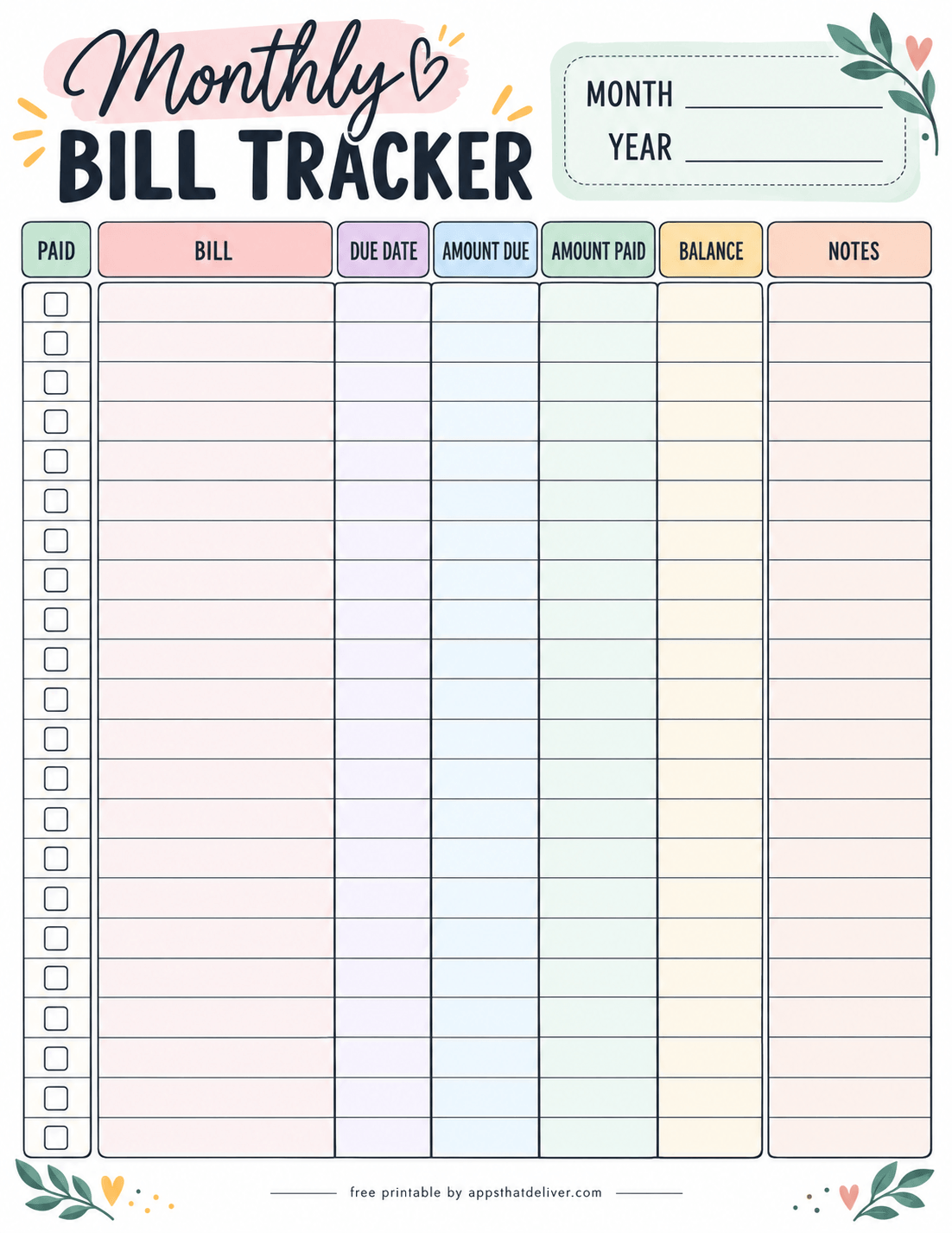
This Monthly Bill Tracker is designed to help you organize recurring payments and keep important due dates visible.
At the top, you can enter the month and year. The main table includes Paid, Bill, Due Date, Amount Due, Amount Paid, Balance, and Notes columns.
Write each bill in a separate row, record the payment deadline and amount due, then update the amount paid and remaining balance as payments are made. The Paid checkboxes provide a quick visual reference for completed payments.
You can use this printable for rent, utilities, insurance, subscriptions, loan payments, and other recurring obligations.
This design is especially helpful if you manage several monthly bills and want a paper-based record of what has been paid and what still needs attention.
Which Spending Tracker Should You Choose?
The best printable depends on how much information you want to record and what you plan to review at the end of the month.
- For a complete monthly overview: Design 1 combines a spending log, income and expense summary, and category breakdown.
- For distinguishing needs and wants: Designs 2 and 8 make it easy to classify purchases.
- For simple transaction records: Designs 3, 4, and 6 are easy to fill in as you spend.
- For budget comparisons: Designs 5 and 7 help compare planned and actual amounts.
- For bills and due dates: Design 9 keeps recurring payments and balances in one place.
Tips for Keeping an Accurate Spending Log
A tracker is most useful when the information is consistent. You do not have to make every entry immediately, but setting aside a few minutes each day or week can make the process easier.
- Keep receipts or transaction notifications until you have recorded each purchase.
- Use the same category names throughout the month so totals are easier to compare.
- Include small cash purchases as well as larger card transactions.
- If a purchase contains items from different categories, decide whether to split it into separate entries.
- Review subscriptions and other recurring charges alongside everyday expenses.
- At month-end, add the totals and note one realistic change to try next month.
Spending Tracker vs. Budget Tracker vs. Bill Tracker
These worksheets serve related but different purposes. A spending tracker records transactions that have already happened. A budget tracker compares the amount you intended to spend with the amount you actually spent. A bill tracker helps organize payments, due dates, and outstanding balances.
You can use more than one worksheet together. For example, record daily purchases on Design 3, compare category totals using Design 5, and keep regular bills on Design 9. That gives you a broader view without forcing every detail into one page.
How to Review Your Monthly Spending
Tracking expenses is only the first step. Reviewing what you recorded can help you understand your spending patterns and make better decisions about the following month.
1. Calculate Your Total Expenses
At the end of the month, add the amounts from your spending log. Include cash purchases, card payments, and any other expenses you want reflected in your monthly total.
If you use Design 1, record the total in its summary section. If you use Design 3 or Design 8, enter the combined amount in the Total Spent field.
2. Group Purchases into Categories
Review your transactions and organize them into categories such as groceries, transportation, housing, entertainment, and personal expenses.
Consistent categories make it easier to compare one month with another. They can also help you identify which areas account for the largest share of your spending.
3. Compare Your Budget with Actual Spending
If you planned spending limits at the beginning of the month, compare those amounts with what you actually spent.
Design 5 provides separate Budget and Actual columns, while Design 7 includes space to calculate the difference for individual expenses.
Look for significant differences and consider what caused them. Some may come from unexpected necessities, while others may reflect purchases you could plan differently next time.
4. Review Wants and Needs
Designs 2 and 8 include options for marking purchases as wants or needs. Reviewing those selections can help you understand how much of your spending goes toward essential expenses compared with optional purchases.
There is no need to eliminate every nonessential purchase. The goal is to recognize your priorities and decide whether your spending reflects them.
5. Plan for the Next Month
Use what you learned to prepare your next budget. You might adjust an unrealistic spending limit, set aside money for an upcoming bill, or pay closer attention to a category that regularly exceeds your expectations.
Even one small, practical adjustment can make your spending plan more useful over time.
How to Organize Your Printable Expense Records
If you plan to use these worksheets regularly, keeping completed pages organized will make it easier to compare spending from different months.
A binder with monthly dividers is one simple option. You can place your daily spending logs, monthly budget worksheets, and bill trackers together under the corresponding month.
If you prefer a smaller system, keep your current spending tracker on a clipboard or inside a folder where it is easy to access. Move completed pages into a separate folder at the end of the month.
You can also print multiple copies of the same design in advance. This is helpful if you make many purchases or need more rows than a single worksheet provides.
For sensitive financial records, store completed worksheets somewhere private, especially if they include account-related notes or other personal information.
Frequently Asked Questions
Yes. This collection includes nine free printable designs intended for PDF download and printing.
There are nine unique designs, including transaction logs, budget comparison worksheets, and a monthly bill tracker.
Designs 3, 4, and 6 provide simple tables for recording purchases. Design 1 is a good choice if you also want a monthly summary.
Yes. Designs 1, 2, 3, 6, and 8 include cash and card tracking options.
Design 7 includes budgeted, actual, and difference columns for individual entries. Design 5 provides several budget-versus-actual tables.
Yes. Design 9 includes bill names, due dates, amounts due and paid, balances, notes, and paid checkboxes.
Yes. The templates have blank month fields or month selectors, so you can print a fresh copy for another month.
Recording purchases daily helps prevent forgotten entries, but a consistent weekly review can also work if you retain your receipts or transaction records.
A spending tracker records purchases and payments, while a budget tracker helps compare planned spending with actual amounts. Some printables in this collection combine both functions.
Yes. Designs 2 and 8 include separate options for identifying purchases as wants or needs.
Yes. You can print additional copies whenever you need more space for transactions or want to start tracking a new month.
Add the amounts recorded in your spending log for the month. You can also group purchases by category to understand how much you spent in different areas.
Final Thoughts
You do not need a complicated system to become more aware of your spending. A simple printable page can help you record purchases, compare planned costs with actual expenses, and keep upcoming bills visible.
Whether you prefer a basic expense log, a detailed spending tracker, a budget comparison worksheet, or a monthly bill organizer, there is a design in this collection that can support your financial planning routine.
Explore these 9 free spending tracker printables, choose the design that fits your needs, and download the corresponding PDF. Start with one worksheet, then add another if you need a more detailed picture of your monthly finances.
Happy tracking!