
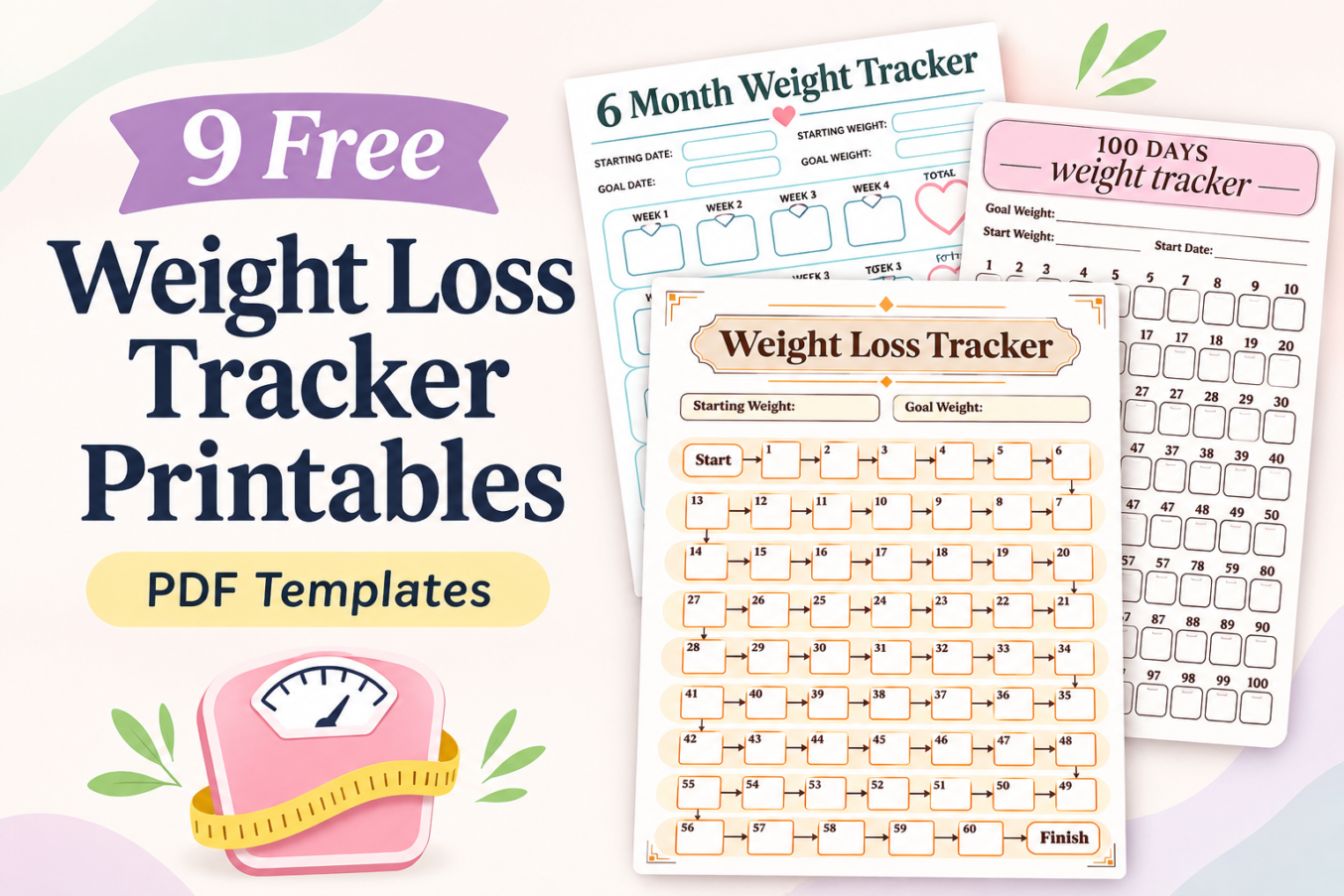

Tracking your weight over time can help you understand your progress without relying on memory. Whether you prefer daily check-ins, weekly measurements, or a longer-term overview, a printable weight tracker gives you a dedicated place to record your information.
These free printable weight loss trackers include nine different layouts, from simple weight logs and yearly charts to colorful progress paths and motivational worksheets.
Each template has blank spaces for your own measurements. You can choose the design that suits your routine, print it, and begin recording your progress.
Free Printable Weight Loss Trackers
Everyone has different preferences when it comes to tracking progress. Some people like detailed records with dates and measurements, while others enjoy visual trackers they can fill in as they work toward a personal goal.
This collection includes nine printable designs:
- 60-step Weight Loss Tracker with a numbered progress path
- Year-at-a-Glance Weight Loss Tracker with monthly tables
- Yearly Weight Tracker with a 12-month daily grid
- 31-Day Circular Weight Loss Tracker
- 100 Days Weight Tracker with numbered daily spaces
- Motivational Weight Loss Tracker with hexagonal progress spaces
- 6 Month Weight Tracker with 24 weekly check-ins
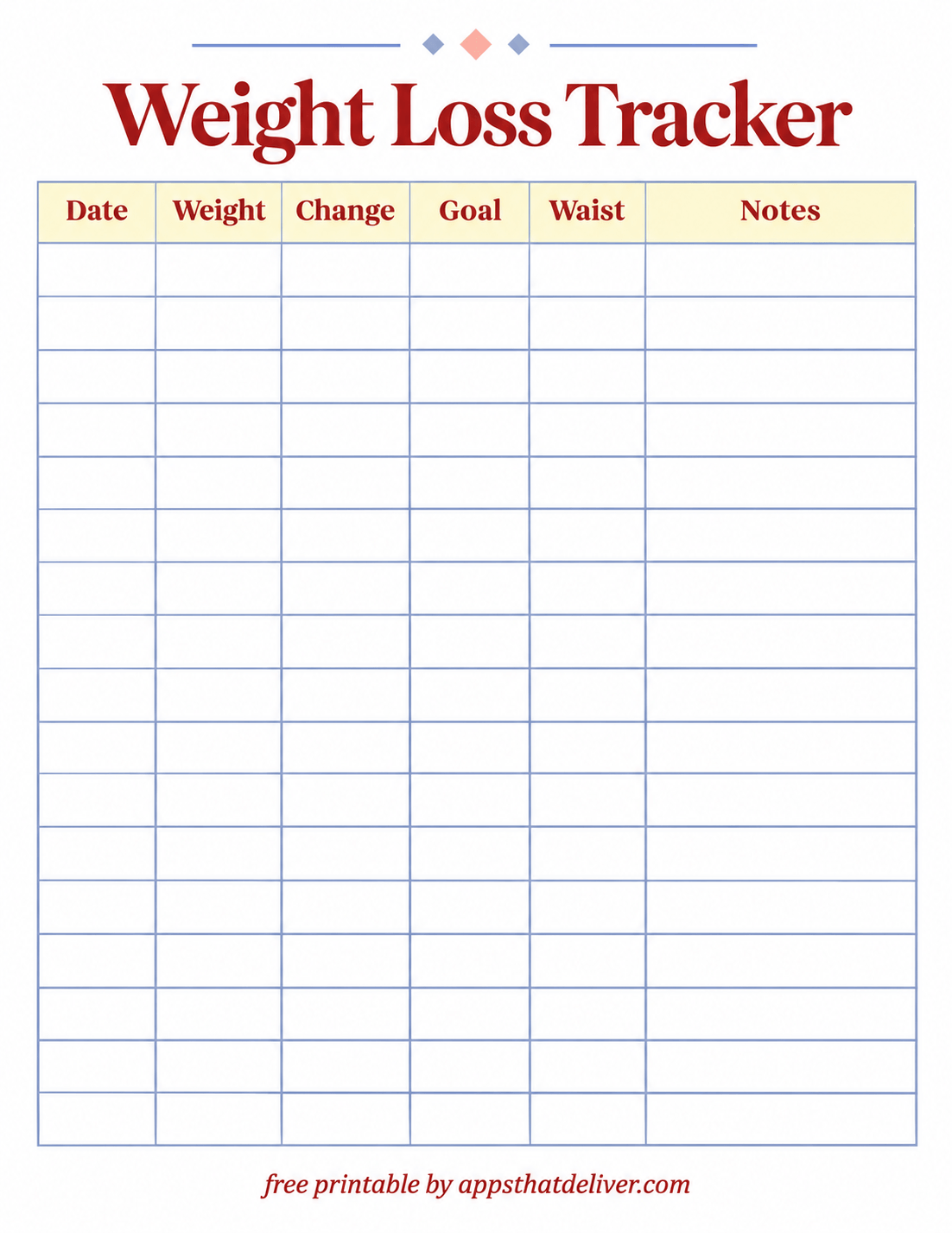
- Weight Loss Tracker with date, weight, change, goal, waist, and notes columns
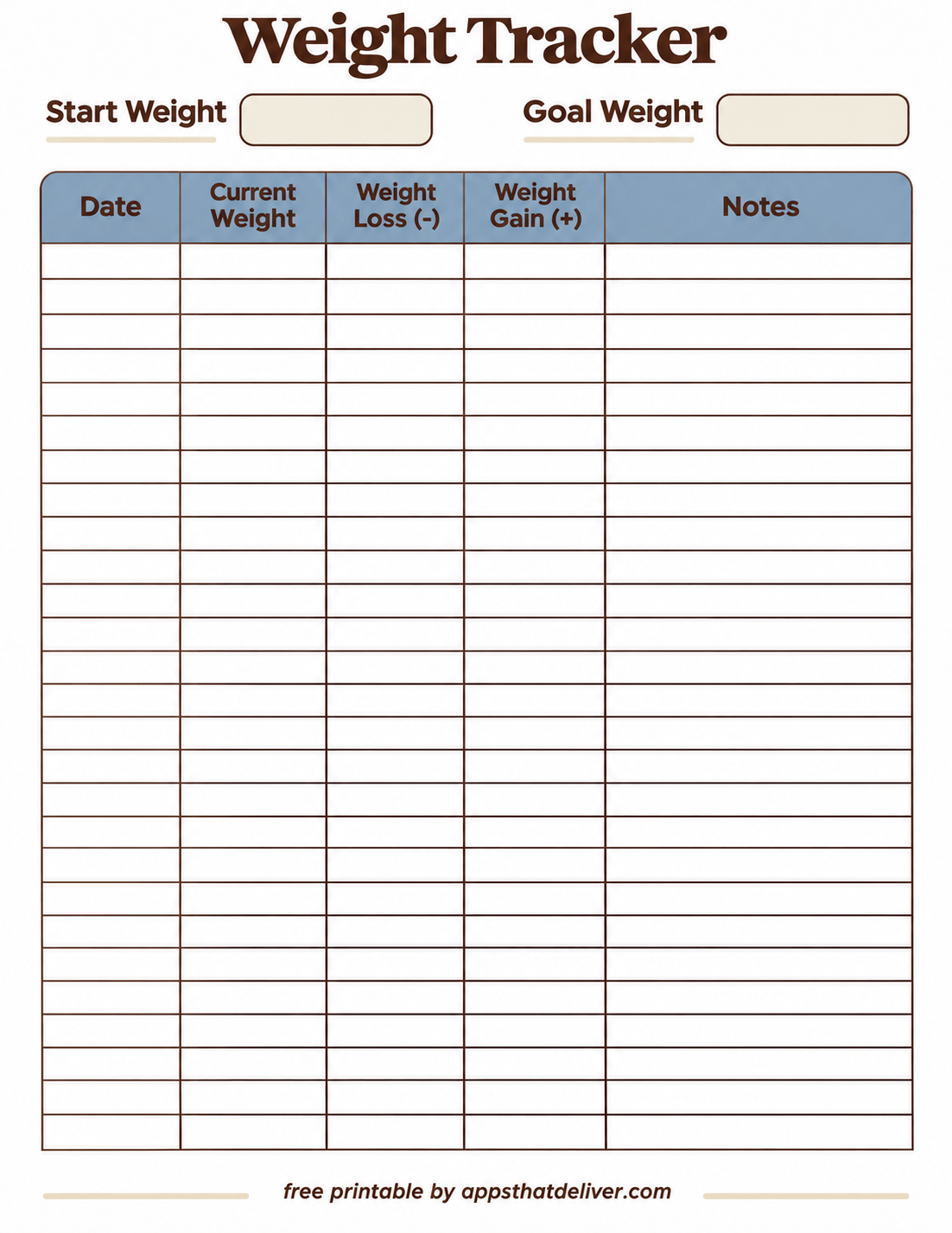
- Weight Tracker with separate weight loss and weight gain columns
All nine designs are intended for handwritten entries. Some emphasize detailed measurements, while others make progress tracking more visual and interactive.
Why Use a Printable Weight Loss Tracker?
A printable weight loss chart helps you organize measurements in one place and compare changes over time. Instead of trying to remember previous numbers, you can look back at your recorded entries.
- Keep measurements organized. Record your weight alongside dates or numbered tracking periods.
- Follow longer-term trends. Compare measurements across weeks or months rather than focusing only on individual weigh-ins.
- Record personal goals. Several designs include starting weight and goal weight fields.
- Choose your preferred tracking style. Use a traditional table, numbered chart, circular tracker, or visual progress path.
- Keep a written record. Store completed pages in a folder or binder for future reference.
Remember that weight naturally fluctuates. A single measurement does not tell the whole story, and your tracker is most useful when it helps you observe patterns without creating unnecessary pressure.
How to Use These Printable Weight Trackers
Getting started is straightforward. Choose a printable based on how often you want to record measurements and how much detail you prefer.
- Choose your design. Select a daily log for frequent entries, a weekly tracker for occasional check-ins, or a visual chart for marking milestones.
- Download the PDF. Use the download button below your preferred printable.
- Print the worksheet. Print the template on US Letter paper, using the appropriate printer settings.
- Fill in the starting information. Add your starting weight, goal, date, year, or measurement unit wherever the template provides those fields.
- Record your measurements. Enter your weight in the corresponding date, week, month, or numbered space.
- Update your progress. Fill in the next available space whenever you complete another check-in or milestone.
- Review the overall pattern. Look at your measurements over time instead of judging progress from one entry.
You do not have to weigh yourself every day. Choose a schedule that feels manageable and appropriate for your circumstances. For more consistent comparisons, use the same scale under similar conditions when practical.
9 Free Weight Loss Tracker Printable PDF Templates
Below are all nine weight tracker designs. Each offers a different way to record measurements, visualize milestones, or monitor changes over time.
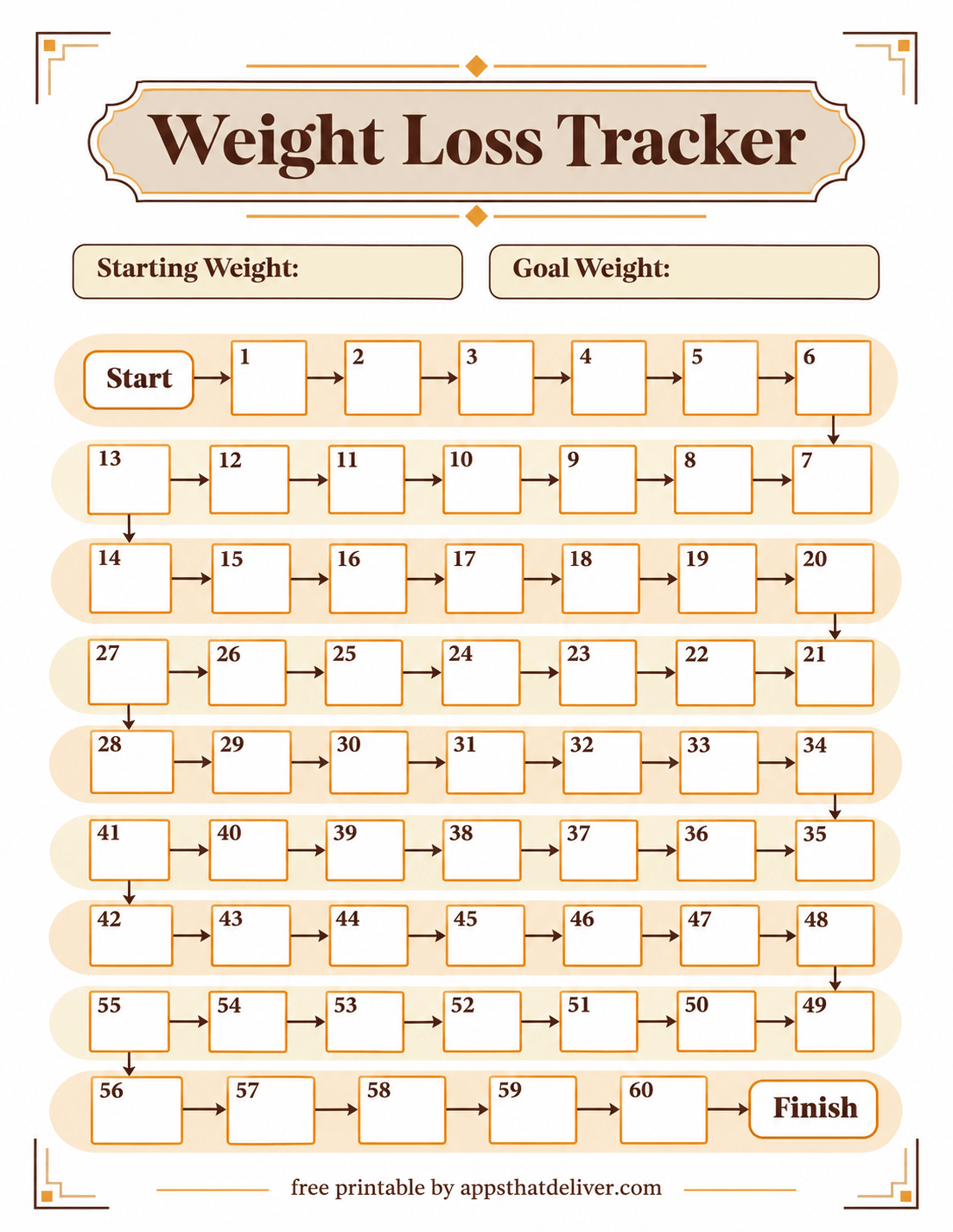
1. Weight Loss Tracker with 60-Step Progress Path
This Weight Loss Tracker printable turns progress tracking into a numbered journey from Start to Finish.
The design includes 60 numbered boxes arranged in a winding path across the page. Arrows connect the spaces, making it easy to follow the sequence as you move toward your goal.
At the top, there are separate fields for Starting Weight and Goal Weight. You can decide what each numbered box represents, such as a completed check-in or a personal milestone, then write in the appropriate space.
The warm orange and brown color scheme, decorative borders, and clear numbered boxes make this a good choice if you prefer a visual tracker instead of a traditional measurement table.
2. Year-at-a-Glance Weight Loss Tracker Printable
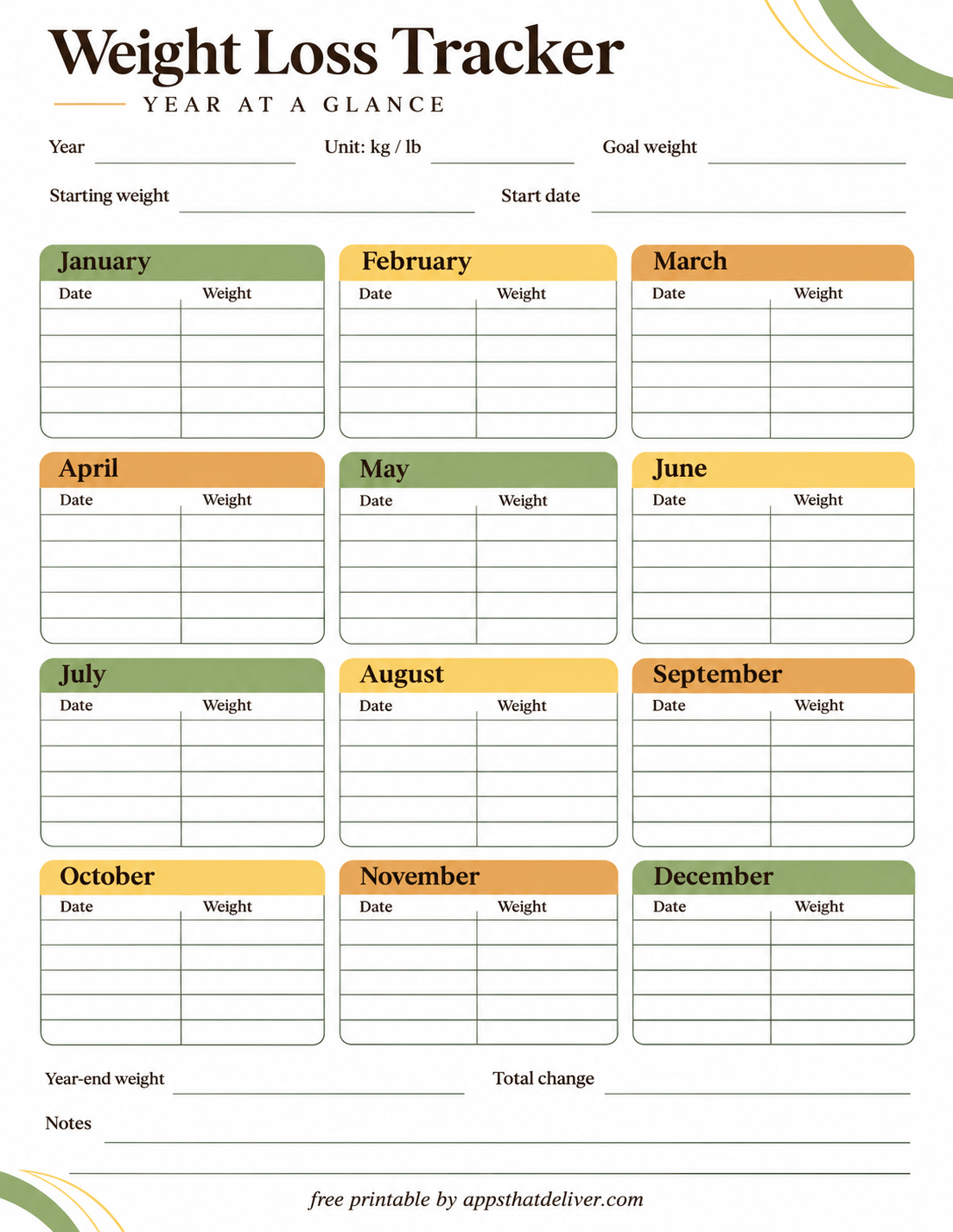
If you want to follow your progress throughout an entire year, this yearly weight loss tracker printable provides a convenient overview of all twelve months.
The top section includes spaces for Year, Unit: kg / lb, Goal weight, Starting weight, and Start date.
Below these fields are twelve monthly tables, one for each month from January through December. Every table includes Date and Weight columns with several blank rows for recording measurements.
At the bottom, there are additional spaces for Year-end weight, Total change, and Notes. These sections let you summarize your recorded progress and write down anything important you want to remember.
The muted green, yellow, and orange monthly headers make the layout colorful without overwhelming the writing areas. This design is particularly useful for people who prefer occasional check-ins and want to compare their measurements across the year.
3. Yearly Weight Tracker with 12-Month Daily Grid
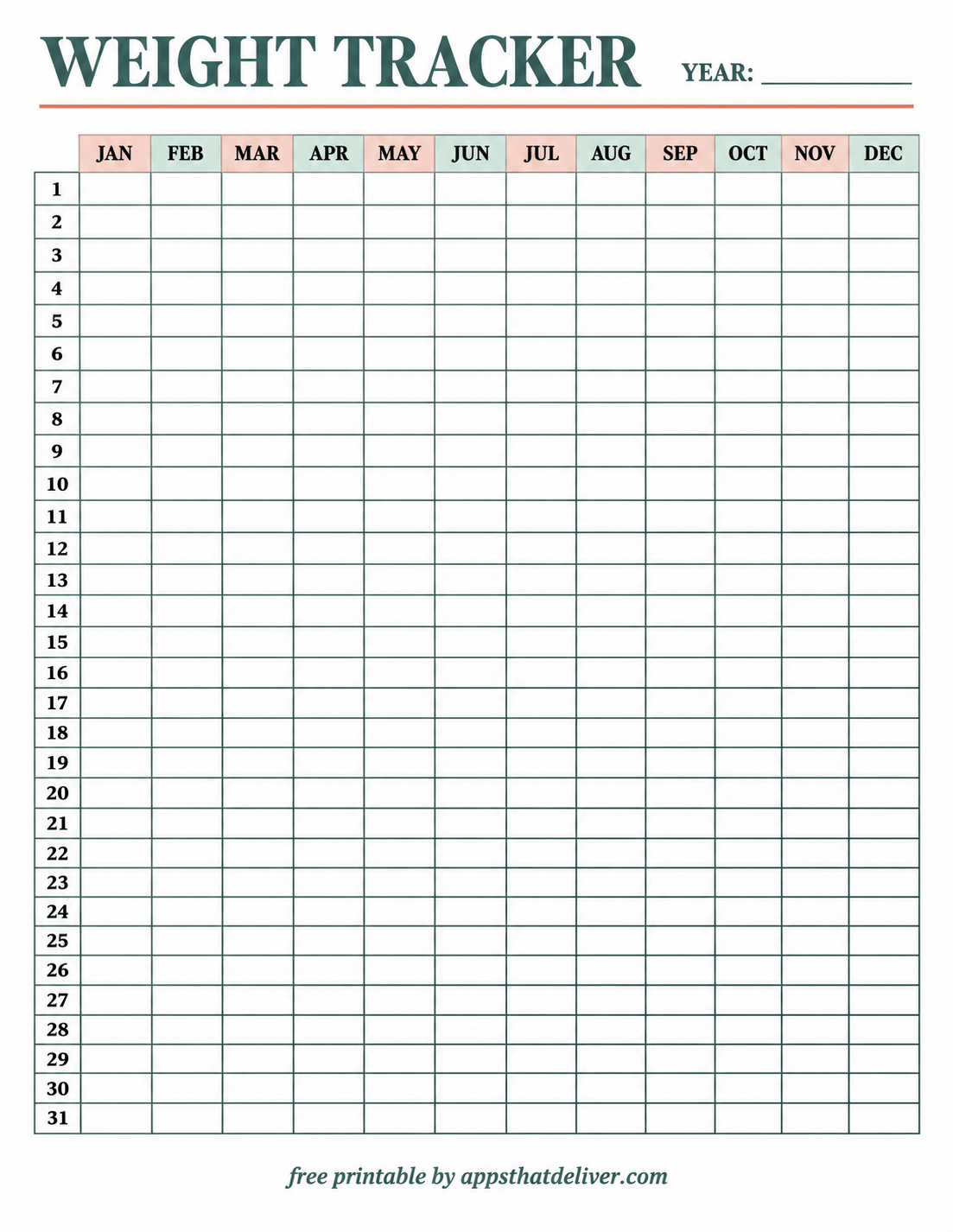
This printable yearly weight tracker uses a large grid to display an entire year’s measurements on one page.
The columns are labeled JAN through DEC, while the rows are numbered from 1 to 31. Each intersection provides a blank space for recording a weight measurement on the corresponding day of the month.
A Year field appears at the top, allowing you to use the same undated design for different years.
The layout uses alternating soft peach and pale teal month headers, with thin grid lines and a spacious white background. Because all twelve months appear together, it is easy to look across the page and review your recorded measurements.
This design is useful if you want a detailed annual weight log. You can fill in only the dates on which you take measurements, leaving other cells empty. For months with fewer than 31 days, simply leave the unused dates blank.
4. 31-Day Circular Weight Loss Tracker Printable
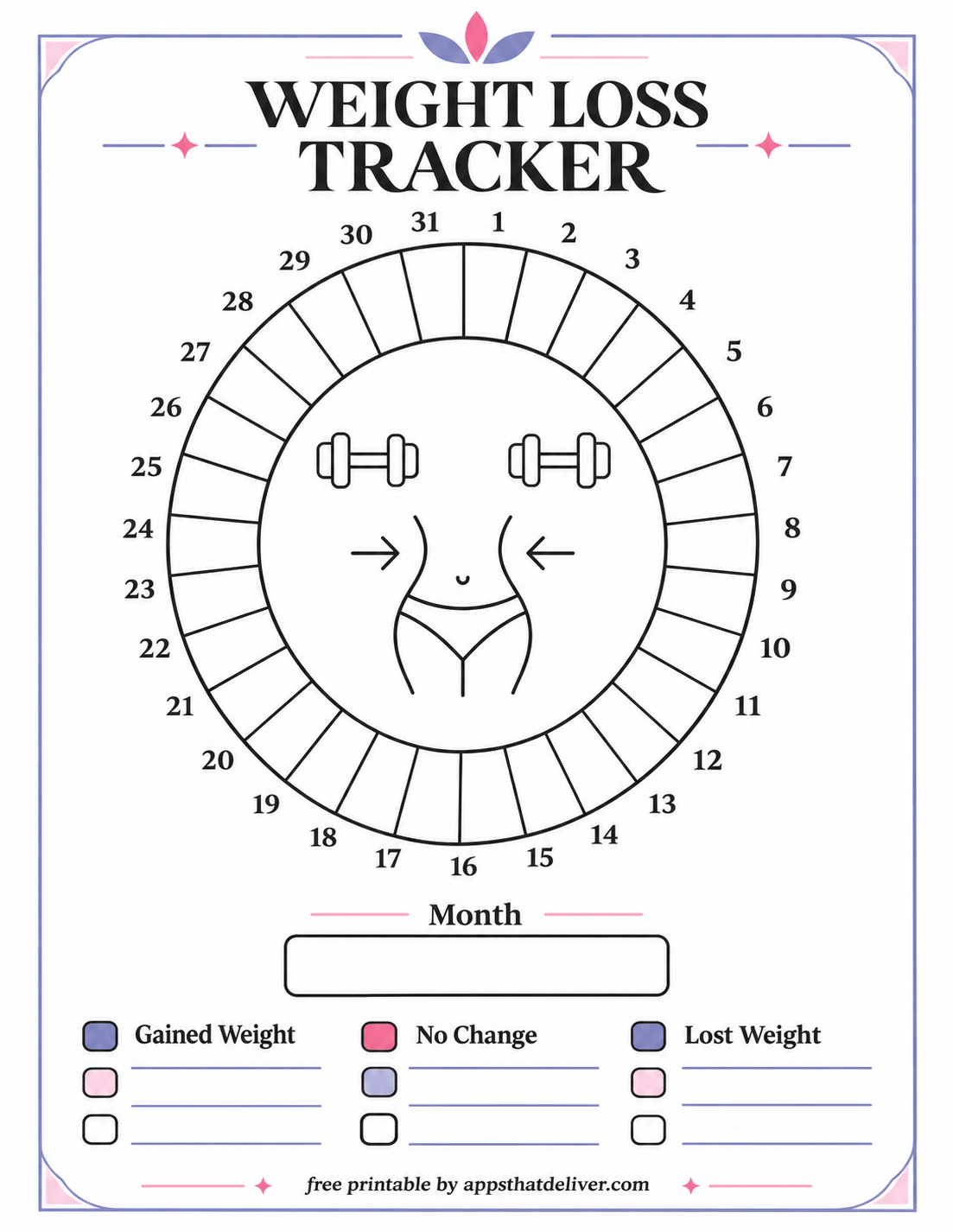
This creative monthly weight loss tracker printable features a large circular chart divided into 31 numbered sections.
Each numbered section represents a day of the month. You can use the sections to record or visually mark your daily progress, depending on your preferred tracking method.
Inside the circle is a simple fitness-themed illustration, while the surrounding spaces remain blank for personal use.
Below the chart is a Month field, followed by three labeled categories: Gained Weight, No Change, and Lost Weight. The additional colored squares and writing lines can be used to create a personal tracking key or record related information.
The purple and pink decorative accents give the printable a playful appearance. This design is a good option for anyone who enjoys coloring, marking daily progress, or using a visual chart instead of a large table.
For shorter months, you can leave the extra numbered sections unused.
5. 100 Days Weight Tracker Printable
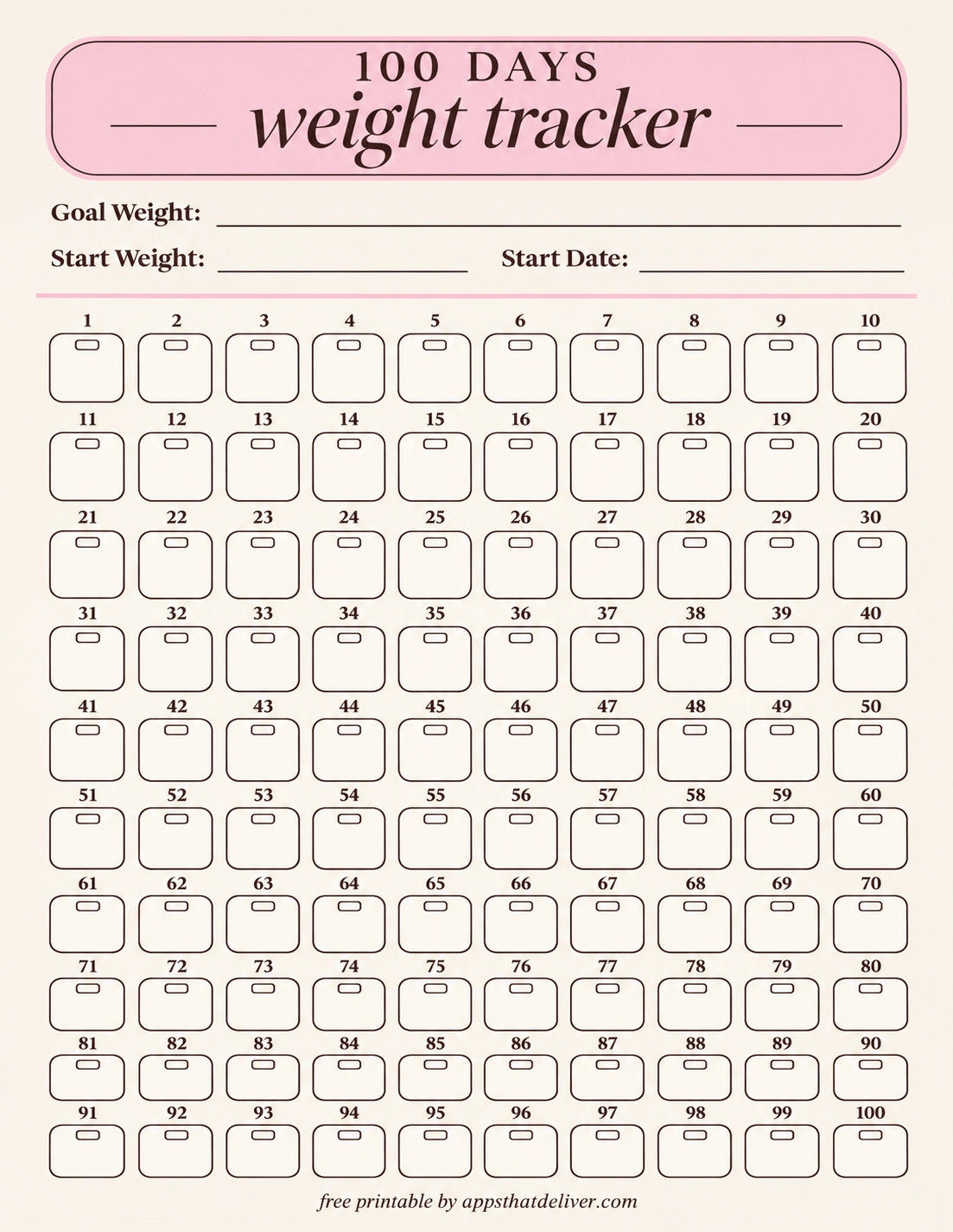
If you enjoy working with a numbered tracking period, this 100 Days Weight Tracker printable provides one hundred individual spaces for recording your progress.
The top of the page includes fields for Goal Weight, Start Weight, and Start Date. Below them are 100 numbered boxes arranged in ten rows of ten.
Each box contains a small outlined detail near the top and a larger blank writing area. You can use the boxes to record measurements or mark completed check-ins throughout your 100-day period.
The soft pink heading and warm neutral background create a gentle, minimal design that keeps attention on the numbered tracking spaces.
This printable is especially suitable if you want a clearly defined tracking period with a visible beginning and ending point. You can also use the numbered boxes for a different series of 100 check-ins if daily tracking is not part of your routine.
6. Motivational Weight Loss Tracker with Hexagon Progress Chart
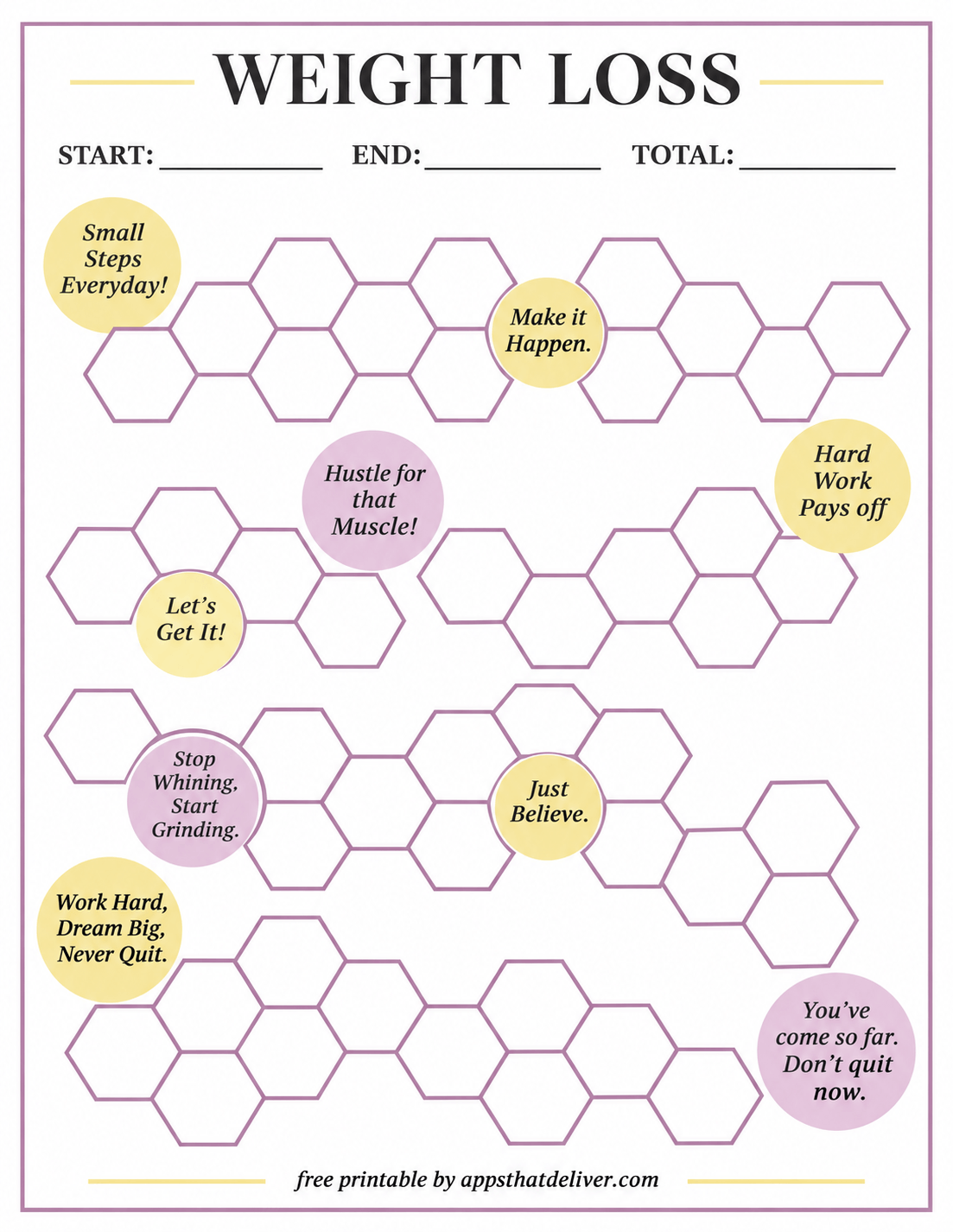
This motivational weight loss tracker printable combines a creative progress chart with encouraging messages.
At the top are three fields labeled START, END, and TOTAL. The main part of the page features numerous empty hexagonal shapes arranged in connected groups.
You can decide what each hexagon represents, such as a completed check-in or a personal milestone, and fill in the shapes as you progress.
Scattered throughout the design are colorful motivational circles with phrases such as “Small Steps Everyday!”, “Make it Happen.”, “Hustle for that Muscle!”, “Let’s Get It!”, and “Just Believe.”
The soft purple, pink, and yellow palette makes the chart cheerful while keeping the hexagons blank and ready to use.
Choose this design if you want an interactive progress sheet that focuses on marking milestones rather than writing measurements into a conventional table.
7. 6 Month Weight Tracker with 24 Weekly Check-Ins
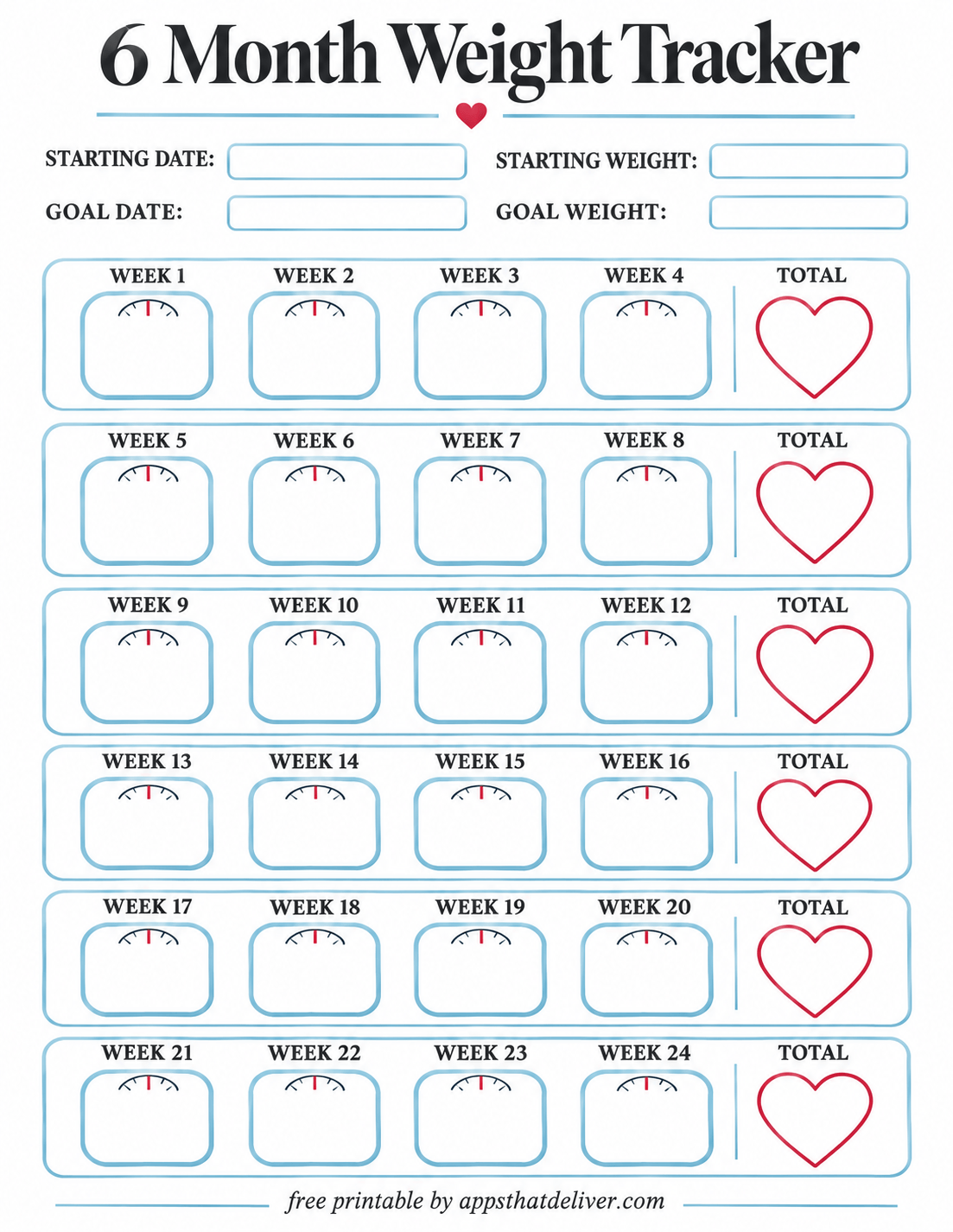
This 6 Month Weight Tracker printable is designed for recording weekly measurements across a 24-week period.
The top section includes Starting Date, Starting Weight, Goal Date, and Goal Weight fields. These spaces allow you to identify your tracking period and record your initial goals.
Below the heading are six horizontal groups. Each group contains four weekly spaces, labeled consecutively from WEEK 1 through WEEK 24.
Every weekly space includes a small scale illustration above a blank area for writing. At the end of each four-week group is a heart-shaped TOTAL section where you can summarize the change for that period.
The light blue outlines and red heart accents create a clean, friendly appearance without taking away from the writing spaces.
This design is particularly useful if you prefer weekly weigh-ins and want to review progress in four-week groups. Although it is titled a six-month tracker, the layout specifically provides 24 weekly entries, so its exact calendar coverage depends on your starting date.
8. Weight Loss Tracker with Weight, Change, Goal, Waist, and Notes
If you prefer a straightforward measurement log, this printable weight loss tracker chart provides a structured table for recording several details at each check-in.
The table includes six columns: Date, Weight, Change, Goal, Waist, and Notes.
You can write the date of each measurement, record your weight, calculate the change from your previous entry, and keep your goal visible.
The Waist column provides a separate place for waist measurements, while the wider Notes column can hold observations or other information you want to remember.
The printable features a bold red heading, pale yellow table headers, and light blue grid lines. Its clean, full-page table provides plenty of room for repeated entries.
This is a practical choice if you want to monitor both weight and waist measurements without using separate worksheets.
9. Weight Tracker with Separate Weight Loss and Weight Gain Columns
This Weight Tracker printable offers a detailed log for recording weight changes over time.
At the top are separate fields for Start Weight and Goal Weight. The main table includes Date, Current Weight, Weight Loss (-), Weight Gain (+), and Notes.
The separate loss and gain columns allow you to distinguish decreases from increases instead of recording every change in a single column.
The Notes column provides additional space for observations, while the many blank rows make the worksheet suitable for ongoing tracking.
The design features a dark brown heading, muted blue table headers, and thin brown grid lines, giving it a simple and organized appearance.
This printable is useful if you want a clear record of how your weight changes between check-ins, including periods when the number increases, decreases, or remains similar.
Which Printable Weight Loss Tracker Should You Choose?
With nine different designs available, the best choice depends on how frequently you want to record your measurements and what type of layout you find easiest to use.
- For a visual progress journey: Choose Tracker 1 with its 60 numbered steps.
- For occasional measurements throughout the year: Tracker 2 organizes entries into twelve monthly tables.
- For a detailed annual log: Tracker 3 includes a full 12-month grid with rows for days 1 through 31.
- For a monthly coloring-style chart: Tracker 4 has 31 circular progress sections.
- For a 100-day tracking period: Tracker 5 includes 100 individually numbered boxes.
- For motivational progress tracking: Tracker 6 combines blank hexagons with encouraging messages.
- For weekly measurements: Tracker 7 provides 24 weekly spaces and six total sections.
- For recording waist measurements: Tracker 8 includes a dedicated Waist column.
- For tracking both gains and losses: Tracker 9 separates weight decreases and increases into different columns.
You can also use more than one design. For example, you might record measurements in a detailed weight log while using a visual chart to mark personal milestones.
How Often Should You Record Your Weight?
There is no single tracking schedule that works for everyone. The most appropriate frequency depends on your preferences, circumstances, and any guidance you have received from a healthcare professional.
Daily Weight Tracking
Daily tracking creates a detailed record, but it also captures normal short-term fluctuations. Weight can change because of hydration, meals, digestion, and other factors that do not necessarily reflect a meaningful long-term change.
If daily tracking is appropriate for you, the yearly grid, 31-day circular chart, or 100-day tracker can help organize frequent check-ins.
Weekly Weight Tracking
Weekly tracking provides a less frequent approach while still allowing you to build a record over several months.
The 6 Month Weight Tracker is especially convenient for this approach because it includes 24 labeled weekly spaces, organized into groups of four.
Monthly Weight Tracking
If you prefer occasional check-ins, a monthly overview can help you keep measurements organized without filling out a worksheet every day.
The Year-at-a-Glance Weight Loss Tracker provides separate tables for all twelve months, making it useful for comparing entries across a longer period.
How to Calculate Weight Change
Several printables in this collection include spaces for recording weight change. You can calculate the difference between your previous measurement and your current measurement.
Weight change = Current weight – Previous weight
For example, if your previous measurement was 180 lb and your current measurement is 178 lb, the change is -2 lb, representing a decrease of 2 lb.
If your previous measurement was 178 lb and your current measurement is 180 lb, the change is +2 lb, representing an increase of 2 lb.
For Tracker 9, you can record the amount of a decrease in the Weight Loss (-) column or the amount of an increase in the Weight Gain (+) column. Use the same measurement unit throughout the worksheet.
Tips for Keeping an Accurate Weight Tracking Record
A few simple habits can make your printable weight log easier to maintain and understand.
- Use consistent units. Choose pounds or kilograms and keep the same unit throughout your tracker.
- Record the date. Include the measurement date whenever your chosen template provides a date field.
- Use the same scale when possible. Different scales may produce slightly different readings.
- Compare similar conditions. Measurements taken at similar times and under similar circumstances may be easier to compare.
- Look at trends. Consider patterns across several measurements rather than interpreting every change as meaningful.
- Keep notes when useful. Use available notes sections for observations that may help you understand your records.
- Choose a manageable routine. Your tracker should support your goals without becoming a source of unnecessary stress.
Weight is only one measurement of health, and it does not provide a complete picture of your well-being. If you have concerns about unexpected weight changes or the appropriate tracking frequency, speak with a qualified healthcare professional.
How to Organize Your Completed Weight Tracker Printables
If you plan to use these worksheets regularly, keeping your completed pages organized can make it easier to review earlier measurements.
A folder or binder is a simple option. You can arrange your pages by month, year, or tracking period, depending on the designs you use.
For example, you might keep a separate 31-day circular tracker for each month or store completed 100-day trackers in chronological order.
If you use a detailed weight log alongside a visual milestone chart, keeping both sheets together can help you compare your written measurements with your completed tracking spaces.
You can also print several blank copies in advance so a fresh worksheet is available when you need one.
Frequently Asked Questions
Yes. This collection includes nine free printable weight tracker designs intended for PDF download and printing.
There are nine different designs, including yearly weight charts, daily tracking grids, a 100-day tracker, a 60-step progress path, a motivational hexagon chart, and detailed weight logs.
Design 7 includes 24 labeled weekly spaces, arranged into six groups of four weeks, with a total section for each group.
Yes. Design 3 has rows numbered 1 through 31 for each month, Design 4 features a 31-day circular chart, and Design 5 includes 100 numbered tracking spaces.
Yes. You can use either unit consistently. Design 2 specifically includes a Unit: kg / lb field.
Design 8 includes a Waist column alongside Date, Weight, Change, Goal, and Notes.
No. You can choose a tracking frequency that suits your needs. The yearly overview and 24-week tracker are useful options for less frequent measurements.
Design 9 has separate Weight Loss (-) and Weight Gain (+) columns, making it easy to record decreases and increases between measurements.
No. The templates include blank measurement spaces for you to complete with your own information. Some designs have preprinted dates, numbers, headings, and decorative elements.
Yes. You can print additional copies of your preferred design whenever you need a new tracking sheet.
Design 2 includes twelve monthly tables and year-end summary fields. Design 3 provides a 12-month grid with daily rows numbered 1 through 31.
Yes. Although several designs are titled Weight Loss Tracker, the blank measurement fields can also be used to keep a general record of weight changes over time.
Final Thoughts
Keeping a record of your measurements does not have to involve complicated spreadsheets or tracking apps. Sometimes, a simple printable worksheet is all you need to organize your information and review changes over time.
This collection includes 9 free weight loss tracker printables, ranging from daily and yearly charts to weekly check-in sheets, motivational progress paths, and detailed measurement logs.
Choose the design that fits your preferences, download the corresponding PDF, and fill in the blank spaces at your own pace. You can stick with one layout or combine different trackers depending on what you want to record.
Happy tracking!